What Is a Restaurant LMS?
A restaurant learning management system is training software built for hourly, shift-based teams: it runs on a phone, breaks lessons into pieces short enough to finish on a break, and tracks who's current on what across every location without a manager building a spreadsheet to find out.
That's a different job than a general corporate LMS does. Office HR software assumes a desk, a login that stays open for an hour, and a cohort that starts together in January. A line cook doesn't get an hour, doesn't have a desk, and sometimes starts mid-shift because someone just walked out. A restaurant LMS has to survive that: modules built for five to ten minutes between tickets, portrait-mode video that plays without a login screen eating the first ninety seconds, and progress a manager can check from the floor instead of a dashboard back in the office.
Restaurants also carry training that's compliance, not just onboarding: food handler and alcohol service certification where state or local law requires it, allergy policy, harassment prevention, workplace safety. A generic HR LMS treats these as one more course in the catalog. A restaurant-built one treats them as gates: this person can't be scheduled on a station, or can't pour a drink, until the certification is current, not just started.
The real test of a restaurant LMS is operational, not a features list. Can a manager see, before Saturday's dinner rush, who's overdue on anything that blocks a shift? Does a recipe or SOP revision push a re-training module to everyone who needs it automatically, instead of relying on someone remembering to reassign it? Is a certification's expiration date sitting next to the person's name, not buried in a folder of scanned cards? If the answer to any of those is no, what you have is a video library with a login screen, not training infrastructure. An LMS is one piece of a wider stack, not the whole purchase; see our breakdown of what software restaurants actually use for where it fits next to the POS, scheduling and inventory tools.
What Should You Compare When Evaluating a Restaurant LMS?
Compare a restaurant LMS on mobile behavior, assessment integrity, certification mechanics, manager visibility and content linkage, not on how big its course library is. Most of these tools look identical in a sales demo; they stop looking identical the first week someone tries to finish a lesson standing at the pass with wet hands.
Mobile experience comes first because it's the one that kills adoption quietly. A lesson that needs landscape orientation, a stable Wi-Fi signal, or a desktop-sized login form gets skipped, not failed: staff mark it "watched" without watching it, and nobody finds out until an inspector or a guest complaint proves it.
Assessment integrity matters more than most buyers check for. A quiz with the same ten questions in the same order gets memorized and passed by anyone within a shift, whether they read the material or not. Randomized question pools, plus a required manager demo for anything physical, a knife cut, a fire-suppression pull, a pour, separate people who can answer a question from people who can do the thing.
Certification and compliance mechanics decide whether the system does anything useful after go-live: automatic expiration tracking, reassignment when a policy or recipe changes, and an audit-ready export a health inspector or insurance auditor can actually use, not a screenshot pieced together the morning of a visit.
Manager visibility is the difference between software that reports and software that requires reporting. You want overdue staff, by location, in a few clicks, not a spreadsheet export waiting on a pivot table nobody has time to build.
Content linkage is the one buyers skip and regret most. Ask whether a lesson on the walk-in temperature check references the same SOP the closing checklist enforces that night, or whether the LMS and the floor are running two different versions of the same rule.
| What to compare | What good looks like | Red flag |
|---|---|---|
| Mobile experience | Full lesson finishes in portrait mode, no desktop login screen | Needs a tablet or computer to complete a module |
| Lesson length | Built to finish in 5-10 minutes between tasks | 30-45 minute cohort-style courses |
| Assessment integrity | Randomized question pools, manager demo required for physical skills | One fixed quiz, memorized and passed within a shift |
| Certification tracking | Expiration dates, automatic reassignment, audit-ready export | Certifications tracked in a separate spreadsheet |
| Station permissions | Expired certification blocks the schedule in the tool itself | Certification status is informational only |
| Manager visibility | Overdue staff by location in a few clicks | Requires an export and a pivot table to read |
| Content linkage | Lessons cite the same SOP or recipe the floor uses that shift | Generic content library, unrelated to your own procedures |
Shadowing vs LMS: Which Should You Use?
Use both: shadowing and an LMS teach different things, and dropping either one leaves a hole. An LMS teaches the parts that have to be identical no matter who trains you: harassment policy, allergy protocol, cash handling rules, recipe specs, equipment safety. Shadowing teaches the parts a screen can't: timing on the pass during a rush, reading a dining room, when to check back at a table and when to leave it alone.
Shadowing alone has a bias problem most owners don't notice until it costs them a shift. A strong trainer hands a new hire skills nobody wrote down anywhere; a rushed one leaves gaps the same size, and the new hire has no way of knowing what they don't know. Two servers trained by two different people on the same Tuesday can walk away with genuinely different standards, both convinced they were trained correctly.
An LMS alone has the opposite failure. It produces people who pass a quiz on the allergen policy and still freeze the first time a guest mentions a shellfish allergy mid-service, because nobody ever made them do it under pressure with someone watching.
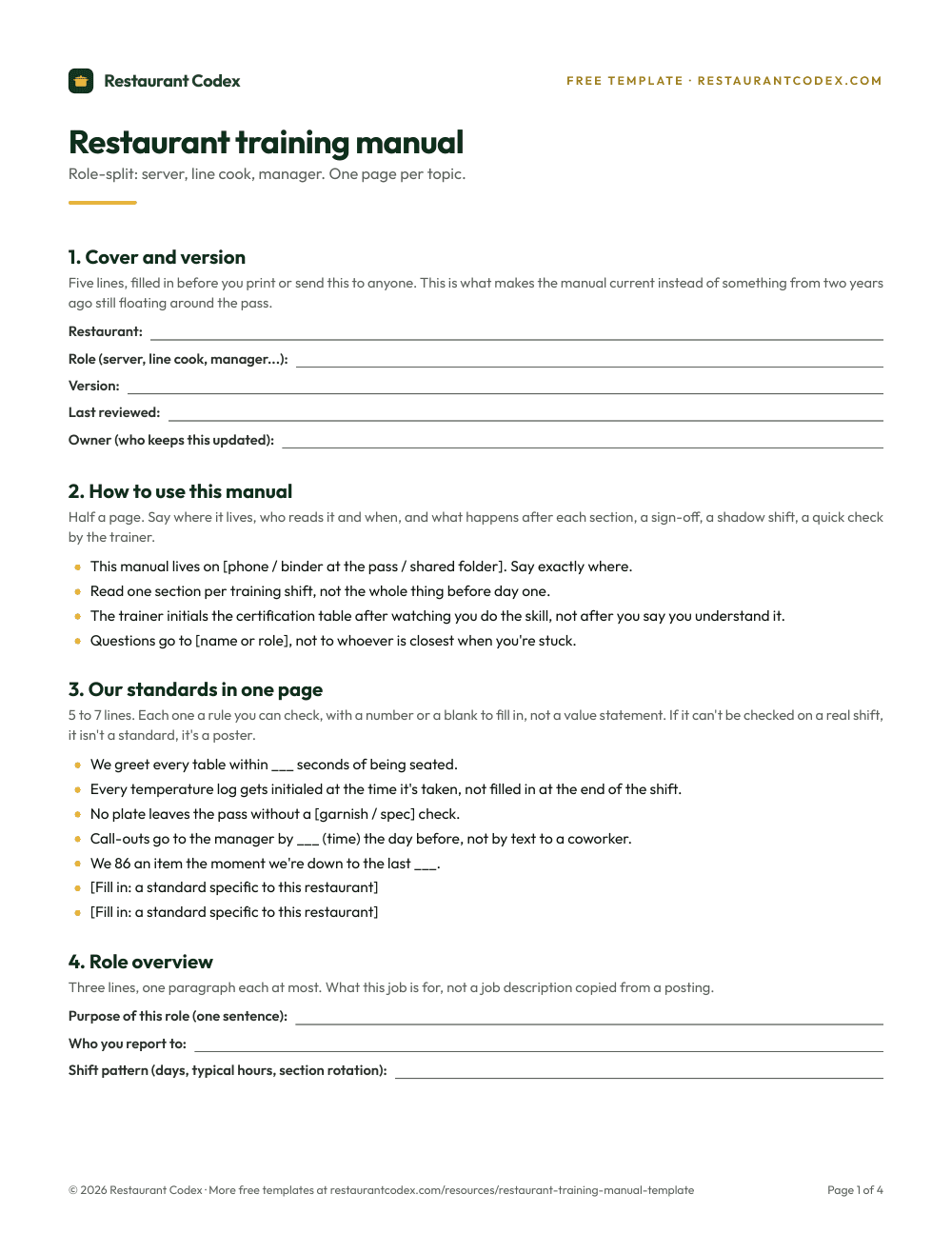
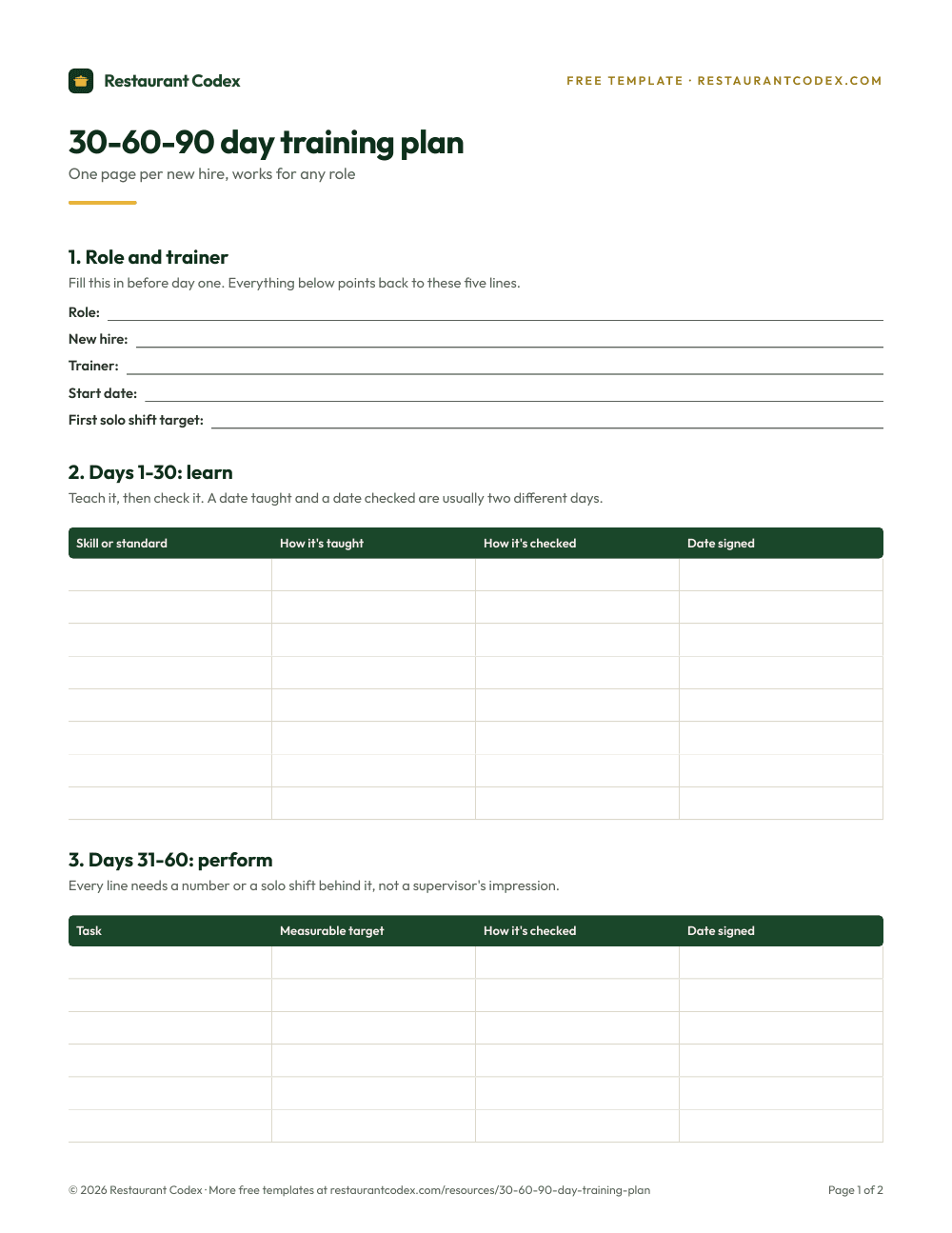
The fix is a blended model with the sign-off written down, not implied: module complete, then a demo where a trainer watches the behavior happen instead of describing it from memory afterward, then a coached shift where a manager confirms it held under real volume. Each step gets a name, a date and a signature. No sign-off, no solo shift. That's the same logic a 30-60-90 day training plan uses to turn "seems ready" into three dates someone can be held to.
O*NET, the Department of Labor's occupational database, places restaurant cooks in a job zone with on-the-job training ranging from a few days to a year, depending on the role and the kitchen. That range is exactly why a defined checkpoint system, not an open-ended "they'll pick it up," is what closes the gap between a module completed and a skill that actually holds on a Friday night.
How Should Restaurants Handle Food Safety Training and Certification?
Food safety certification is a floor, not proof of behavior. Passing a food handler or manager exam proves someone can answer questions about safe temperatures; it doesn't prove they actually check a cooler at 11 p.m., change gloves between raw and ready-to-eat, or send a sick coworker home instead of covering for a short-staffed shift. Pair the accredited course with observation of the habits that prevent a real violation: thermometer calibration, cooling documentation, date marking, sanitizer concentration checks, and an illness-reporting culture that doesn't punish someone for calling out.
ServSafe is the National Restaurant Association's own training and certification program, covering food handler, manager, allergen, alcohol and workplace safety, and its Manager exam carries ANAB-CFP accreditation. Check which programs your own health department accepts before you buy seats; accreditation is not the same thing as local approval.
Run scenario drills on a schedule, not just once at onboarding. What does the closing crew do if a cooler reads 48°F at 10 p.m. on a Saturday? What does a server do if a guest mentions a nut allergy after the plate is already halfway to the table? A team that's talked through the answer once, out loud, in a pre-shift meeting reacts differently than one hearing the scenario for the first time mid-service.
Tie certification status to what the schedule actually allows, not just to a policy written in a binder. If the rule says the grill station needs a current food handler card, the person building Saturday's schedule needs to see that status in the same place they build it, not discover the gap after someone's already on the line.
How Do You Track Food Handler Certifications?
Treat a certification like any other inventory item with an expiration date. At hire, capture the card type, the issuing program, the issue date, the expiration date and an image of the card itself, tied to that employee's profile in whatever system holds their other records, not a folder on someone's desktop.
Automate two warnings, one at 30 days out and one at 7, sent to the employee and their manager both. That window is enough time to schedule a retake without pulling someone off the schedule at the last minute, and it's short enough that the reminder still feels urgent instead of getting buried.
Decide in advance what happens when a card lapses anyway, because it will. A written rule beats an improvised one: the employee comes off any station that requires it, gets assigned a remediation module or a scheduled retake, and a manager signs off when the new card clears. Write that rule down before the first lapse, not while a Saturday dinner shift is short a certified line cook.
The failure mode to watch for isn't a missing system. It's a manager who notices a lapse and quietly keeps scheduling the person anyway because the shift is already short. That's not a training gap, it's a decision, and it's the decision an inspector or an insurance adjuster asks about first if something goes wrong. The fix isn't a more strongly worded policy. It's making current status visible to whoever builds the schedule, in the same place they build it, so the workaround takes more effort than doing it right.
A Worked Example: Six Locations, One Expiring Certification
A six-location group with about 90 hourly staff runs an alcohol-service certification that expires every two years for anyone pouring a drink, per that state's rule. Without a tracking system, the only record sits in each location's binder, checked, if at all, during onboarding and never again.
Put dates in a shared system and the picture changes fast. At any moment, the group can pull one list: 14 people expiring in the next 30 days, spread across four of the six locations, three of them bartenders who are the only certified pourer on their shift that week. That last detail is the one a binder never surfaces. A card expiring on a Tuesday matters a lot more when that person is the only one on the schedule who can legally pour.
The response is boring on purpose: a reminder to those 14 people and their managers at day 30, a second one at day 7, and any location that hasn't acted by the expiration date loses that person from the bar schedule until the new card clears, no exception made because the shift is short. Applied consistently, that rule is what makes a state inspection or an insurance audit a schedule inconvenience instead of a six-figure problem.
The same math holds for food handler cards, allergen training and harassment-prevention modules, just with different renewal windows. The number that matters isn't the total certified. It's how many go stale in the next 30 days, and whether anyone would have caught it without pulling every binder off every shelf.
Running an LMS Across Multiple Locations
Across a group, the course content should be identical location to location: the same module, the same quiz, the same pass bar. What varies isn't the training itself; it's how tightly each manager is held to using it.
Corporate sets the courses, the certification requirements and the re-training triggers once, centrally, so a recipe change or a new allergen policy pushes to every location the same week instead of arriving at store six a month after store one. What a manager controls locally is pacing: which new hires need extra reps on a given module, and which trainer signs off on a hands-on demo.
The number worth checking monthly isn't completion rate, which is easy to game with an unwatched video and a fast click-through. It's the gap between module-complete and demo-signed. A location where staff finish modules on schedule but demos lag two or three weeks behind is telling you a manager treats the LMS as the whole job instead of half of it. Pull that comparison across locations once a month, the same way you'd run any other multi-location operating rhythm, and the pattern of which managers actually run training, versus which ones just report on it, shows up in minutes instead of a site visit.
Mistakes Restaurants Make With Training Software
Five mistakes show up again and again in LMS rollouts that stall in the first year.
Buying an HR platform and calling it done. A tool built for annual compliance training in an office survives exactly one bad Friday rush before staff start marking modules complete without opening them, because nobody built it to be finished in the ninety seconds between tickets.
Loading the course library and skipping the linkage. An LMS full of generic hospitality content that doesn't reference this restaurant's own recipes, SOPs or allergen matrix teaches a version of the job that isn't the one on the floor tonight.
Treating certification tracking as a spreadsheet someone updates when they remember. The card that lapses quietly is never the one anyone was watching; it's the one nobody assigned to watch.
Letting shadowing replace training entirely because it's faster. It's faster this week and slower every week after, once the gaps a rushed trainer left start showing up as comped tables and redone plates.
Rolling out to every location at once with no baseline. A launch with no comparison point can't tell you three months later whether it worked, only that everyone technically has an account.
The common thread runs through the rest of restaurant operations too: a system nobody checks is a system nobody trusts, and staff learn fast which parts of the job are actually enforced and which are decoration.
How Restaurant Codex Handles This
Restaurant Codex runs its LMS next to Operations and the Knowledge Base instead of as a separate login nobody opens. Every role gets a learning path in the staff app on day one, built from short videos, PDFs and the manual entries and recipes it links to; tests can be drafted by AI from your manual and edited by a manager, then graded on the server; a manager signs off the practical skill at the station; and readiness shows by location, role and path. None of that replaces a trainer standing next to a new cook watching a knife cut. It just means the paperwork part of training stops being the part someone has to remember to do.
Restaurant Codex
The same checklist, on every phone, with photo proof
Restaurant Codex runs this template as a live task with timestamps, photos and one view across every location. Bring it to a 30-minute working session and we'll show you how it would run across your locations.
By the Restaurant Codex team
Written with operators who run multi-location restaurant groups. Reviewed against the FDA Food Code and the sources listed below.
Sources
- National Restaurant Association, ServSafe Training and Certification
- ServSafe, ServSafe Manager Certification (ANAB-CFP accredited)
- FRED (Federal Reserve Bank of St. Louis), Total Separations Rate: Accommodation and Food Services (JTS7200TSR)
- O*NET OnLine, Cooks, Restaurant (35-2014.00), Job Zone and Training
- National Restaurant Association, U.S. Restaurant Employee Demographics