What software do most restaurants use?
Most restaurants don't run one piece of software. They run a point-of-sale system as the hub, then bolt on three to six more subscriptions around it, each from a different company, because no single platform actually covers all of it well. The software a restaurant ends up running tends to fall into the same seven buckets, no matter the concept or the city.
Point of sale and payments takes the order and runs the card; it's the system most owners picture first when someone says "restaurant software." Online ordering and delivery gets a takeout or delivery order from a phone or a marketplace app to the kitchen, sometimes built into the POS and sometimes a separate product. Reservations books and seats a dining room and holds a waitlist, which matters a lot to a full-service restaurant and barely at all to a counter-service spot or a ghost kitchen. Scheduling and payroll builds the shift schedule, tracks hours, and runs payroll and tips. Accounting keeps the books and produces the P&L an accountant or a lender actually reads. Inventory and purchasing turns counts and supplier invoices into a food cost number. Operations, SOPs and training runs the checklists, the recipes, the house manual, and who's actually trained on what.
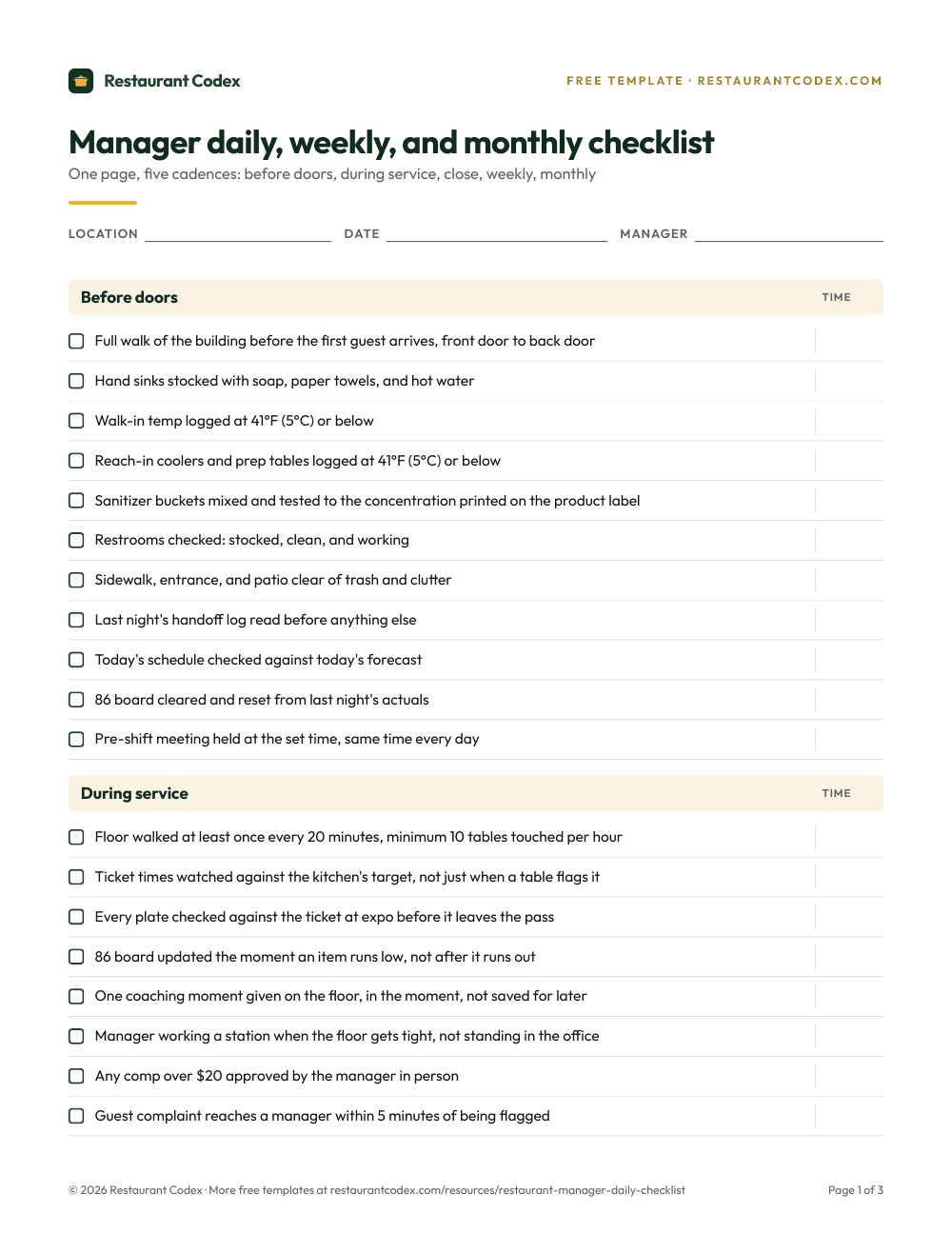
A single-location counter-service restaurant might get by on the first layer and the last one. A six-location full-service group is usually paying for all seven, logging into six or seven different places to see six or seven different pictures of the same business. Even without software, a written daily routine covers a meaningful slice of that last layer on its own.
What is the best software to manage a restaurant?
There's no single best restaurant management software, because "best" depends on which layer is actually causing the problem and how many locations are running it, not which name shows up first on a vendor's own list of itself. A seven-location group with a slow register has a different answer than a single dining room losing covers to no-shows, even though both owners are asking the same question.
| Problem you have | Layer to fix | Example tools |
|---|---|---|
| Lines at the register, slow checkout | POS and payments | Square, Toast, Clover |
| Takeout orders stuck on a tablet nobody checks | Online ordering and delivery | ChowNow, Square Online |
| No-shows eating a reservation-based dining room | Reservations | OpenTable, Resy |
| Scheduling runs on a group chat, payroll is manual | Scheduling and payroll | 7shifts, Gusto |
| Books are a mess, no real P&L | Accounting | QuickBooks Online, Xero |
| Food cost keeps creeping and nobody can say why | Inventory and purchasing | MarketMan, Restaurant365 |
| Standards slip once nobody's watching, training is inconsistent | Operations, SOPs and training | A dedicated ops, knowledge and training platform |
Buying a system before naming the actual problem is how a restaurant ends up with seven logins and still can't answer a basic question about any one of them. Start from the row that matches tonight's actual headache, not the one with the biggest marketing budget.
What's the difference between a POS and restaurant operations software?
A POS takes the order and runs the payment; restaurant operations software runs the work that happens before and after that moment, the prep, the checklist, the training, the standard a dish is supposed to meet every time. The two aren't competing for the same job, which is a big part of why a lot of restaurants end up running one of each instead of picking a side.
What restaurant operations software actually does covers that category in full, including when paper still beats an app. Restaurant Codex vs Toast looks at one POS and one operations platform running side by side at the same restaurant, which is a more common setup than most people expect walking into the question.
What software does a multi-location group need?
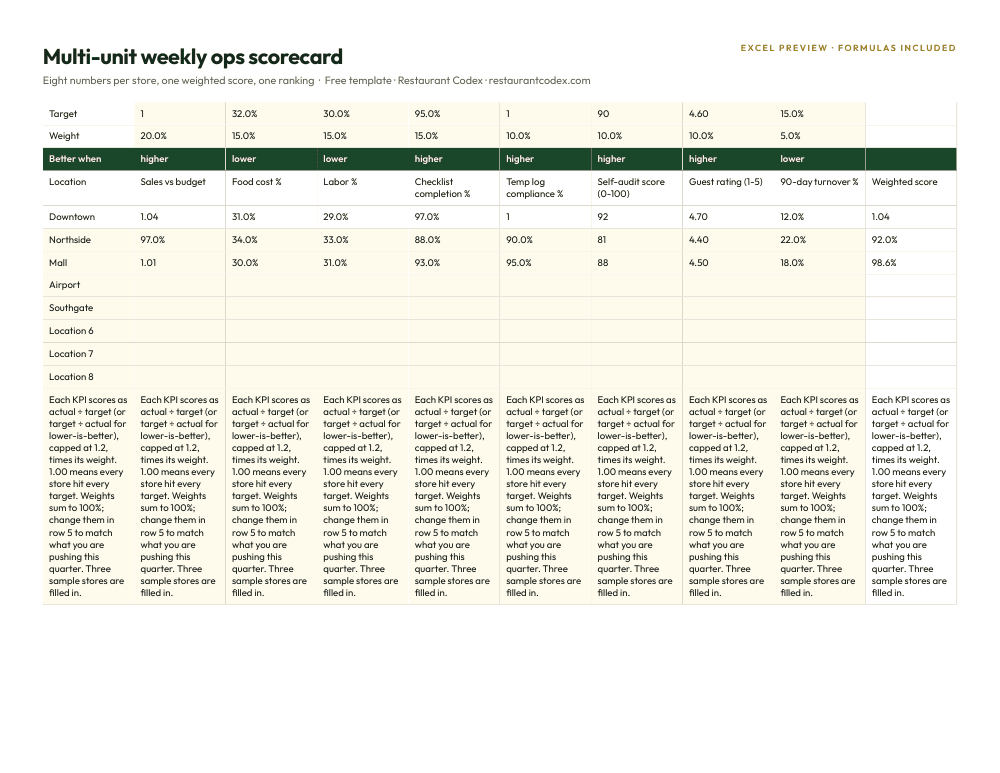
A multi-location group needs the same seven layers a single restaurant needs, plus one requirement every layer has to clear that a single store never has to think about: a view across every location, not six or seven separate logins to six or seven separate stores. A POS that can't roll sales up by location is the same POS a single restaurant runs, just missing the one report a multi-unit owner actually opens first.
Accounting usually needs to consolidate more than one entity or location onto one set of books, which is often a jump to a higher tier of the same software rather than a different product. Scheduling and payroll needs one system spanning every location's labor, not a spreadsheet per store that someone has to merge by hand on a Friday. The operations, knowledge and training layer needs a standard that updates at every location on the same day, not a PDF emailed to six GMs who each save their own copy. How to manage a multi-location restaurant group covers what belongs on that shared daily checklist in more depth than this guide does.
How much does restaurant software cost?
Restaurant software costs anywhere from $0 a month to several hundred, and the honest answer depends entirely on the layer and the vendor, not a single figure anyone can quote for "restaurant software" as a category. Here's what's actually published, checked directly on each vendor's own pricing page in October 2026.
| Layer | Vendor | Starting price |
|---|---|---|
| POS and payments | Square | $0/month (Free), $49/month (Plus), $149/month (Premium), per location |
| Accounting | QuickBooks Online | $38/month (Simple Start) |
| Accounting | Xero | $27/month (Early) |
| Inventory and purchasing | MarketMan | $249/month (Starter) |
| Inventory and purchasing | Restaurant365 | No published price, quoted by request |
| Operations, knowledge and training | Restaurant Codex | Quoted per location on a 30-minute call |
Online ordering, reservations, and scheduling and payroll are the three layers this guide can't hand over a number for. ChowNow, OpenTable, Resy, 7shifts and Gusto are all common names in those categories, and none of them had a price that could be confirmed on their own pricing page this time around; a sales call decides the real figure in each case.
One split matters more than any single price. POS and inventory pricing is almost always quoted per location, so it multiplies by store count the moment a second location opens. Accounting is usually one subscription for the whole company, no matter how many locations feed into it. Knowing which kind of bill is in front of you matters more than the number printed on it.
Is there free restaurant management software?
Free restaurant management software exists, but it only covers the smallest slice of the job. Square's Free plan runs a POS at $0 a month per location, and a spreadsheet or Google Workspace can hold a schedule, a prep list, or a basic inventory count for a while without anyone paying for software at all.
Free works well for a single location, low complexity, and one person who actually owns keeping the file current. It stops working the moment something has to happen automatically: nothing in a free plan alerts a manager when a critical task gets missed, rolls two locations' numbers onto one screen, or keeps a photo next to a timestamp as proof a check actually happened. The real failure point most owners hit with free tools isn't a missing feature. It's the week nobody can say with confidence which copy of the spreadsheet is the real one.
A worked example: pricing a stack for a six-location group
Take a six-location group pricing out a stack using only the numbers this guide could actually verify. At Square's $49-a-month Plus tier, POS software alone runs $294 a month across six locations. Xero's Early plan covers the whole company's books for $27 a month, since accounting doesn't multiply by location the way POS does. MarketMan's Starter inventory plan adds $249 a month on top of that.
| Layer | Example vendor | Monthly cost | Scales by |
|---|---|---|---|
| POS and payments | Square Plus | $294 (6 x $49) | Per location |
| Accounting | Xero Early | $27 | Per company |
| Inventory and purchasing | MarketMan Starter | $249 | Starts flat |
| Operations, knowledge and training | Restaurant Codex | Quoted per location on a call | Per location |
Add those three verifiable numbers and the group is already at $570 a month before online ordering, reservations, scheduling and payroll, or an operations platform enter a single quote. That's the honest shape of a restaurant software budget: a handful of numbers anyone can check themselves, and several more that only show up after a phone call.
Where Restaurant Codex fits
Restaurant Codex lives in the operations, knowledge, training and inventory layer, not the POS layer, and it was never built to take an order or run a card. It runs checklists with photo proof, a knowledge base with an AI assistant that answers from a restaurant's own SOPs and recipes, training paths tied to that same content, and food cost and purchasing, plus Codex Copilot, an AI agent that owners and managers ask and instruct in plain language.
Mercado 24 in Guatemala City (No. 42 on Latin America's 50 Best Restaurants 2025), Koli Cocina de Origen in Monterrey (one MICHELIN Star, MICHELIN Guide Mexico, since 2024), and Tapiz Bistro & Bakery in Mexico City all run Restaurant Codex next to their point-of-sale system, since Codex isn't one. The full list of what it does is priced per location and quoted on a 30-minute call.
Restaurant Codex
The same checklist, on every phone, with photo proof
Restaurant Codex runs this template as a live task with timestamps, photos and one view across every location. Bring it to a 30-minute working session and we'll show you how it would run across your locations.
By the Restaurant Codex team
Written with operators who run multi-location restaurant groups. Reviewed against the FDA Food Code and the sources listed below.