What Is a Restaurant Knowledge Base?
A restaurant knowledge base is the one searchable library that holds how your business actually runs: recipes, plating specs, SOPs, onboarding paths, equipment notes, menu language, allergen data, and the playbook for the night something goes wrong. The point isn't an archive nobody opens. It's fast retrieval on a phone during a Friday dinner rush, when a server has thirty seconds to check whether the salmon still has the soy-glazed version on it.
Compare that to what most restaurants actually have: a shared drive, a pinned message in a group chat, three versions of a spec that all say "FINAL," and a binder in the office nobody's cracked since the health inspection. None of that is wrong to own. It's just not structured. A real knowledge base adds the four things a pile of files can't do on its own: categories that match how the floor and the kitchen actually think, an owner for every document, a version that means something when a recipe changes, and role-based visibility so a server isn't wading through costing fields to find a plating note.
Take a fact as small as an allergen list. On January 1, 2023, sesame became the ninth major food allergen under the FASTER Act, joining milk, eggs, fish, shellfish, tree nuts, peanuts, wheat, and soy. That single change touched every recipe with tahini or a sesame-oil finish, the allergen matrix, the server script, and the new hire training doc, all at once. A knowledge base means that update happens in one place and shows up everywhere it should. A shared drive means someone remembers to find and fix four different files, or more likely, doesn't.
At Tapiz Bistro & Bakery in Mexico City, the team put 220 recipes into a library like this in two weeks, so the whole crew works from the same standards instead of whatever a shared drive happened to have saved last.
Is a Knowledge Base Better Than a Shared Drive?
Yes, for anything the floor or kitchen touches during a shift, because a drive stores files and a knowledge base structures what's in them. Google Drive and Dropbox are fine, cheap storage. They were never built to be an operational system of record, and restaurants that try tend to end up in the same place: duplicated recipe PDFs, folder names nobody agreed on, permissions that inherited from a manager who left two years ago, and a search that surfaces a 2019 catering menu before this week's spec.
| Shared drive | Knowledge base | |
|---|---|---|
| Search | Matches any file with the word | Surfaces the current version first |
| Ownership | Whoever made the folder, maybe | Named owner per document |
| Versions | "FINAL," "FINAL v2," "FINAL REAL" | A version number and a change log |
| Access | Inherited, usually too broad | Role-based, by job |
| AI answers | None, or ungrounded chat | Grounded in your approved content |
The turnover math makes this worse than it looks. Quits in accommodation and food services ran 3.5% a month as of August 2026, per the Bureau of Labor Statistics' JOLTS report. That's a manager or a kitchen lead leaving on a real clip, and with them goes whatever lived only in their head or their personal folder. A knowledge base survives the person. A shared drive mostly survives as long as the person who organized it does.
Where Should Restaurant Equipment Manuals Live?
Equipment manuals should live in the same searchable library as everything else, tagged by station, vendor, and location, not in a drawer or a random PDF folder, because the moment someone needs one is the moment they have no time to look for it. A fryer alarm at 9 p.m. isn't a research project. It's a phone search for "fryer" that needs to return the model number, the three error codes that mean "call service," and the two that mean "reset and move on," in that order.
Store the manual next to the model number, the serial plate photo, the warranty contact, and the filter or gasket part numbers, all under one tag per machine. Pair every piece of critical equipment with a short internal note, not the 40-page manual, for the two things staff actually do: the daily startup and shutdown sequence, and what temperature or reading means "stop and get a manager." That second note matters more than it looks. A walk-in or reach-in that drifts above 41°F, the FDA Food Code's cold-holding line, is a health code problem before it's a maintenance ticket, and the person who notices first is usually a line cook, not a manager doing rounds.
Set a trigger for review, not a calendar reminder nobody reads: new equipment on install, any fire or health event, or a machine that's broken down twice in a month. Each of those should force someone to open the doc and check it still matches the equipment on the floor, because a manual for the ice machine you replaced in March is worse than no manual. It's a wrong answer with a straight face.
A Sesame Update, Start to Finish
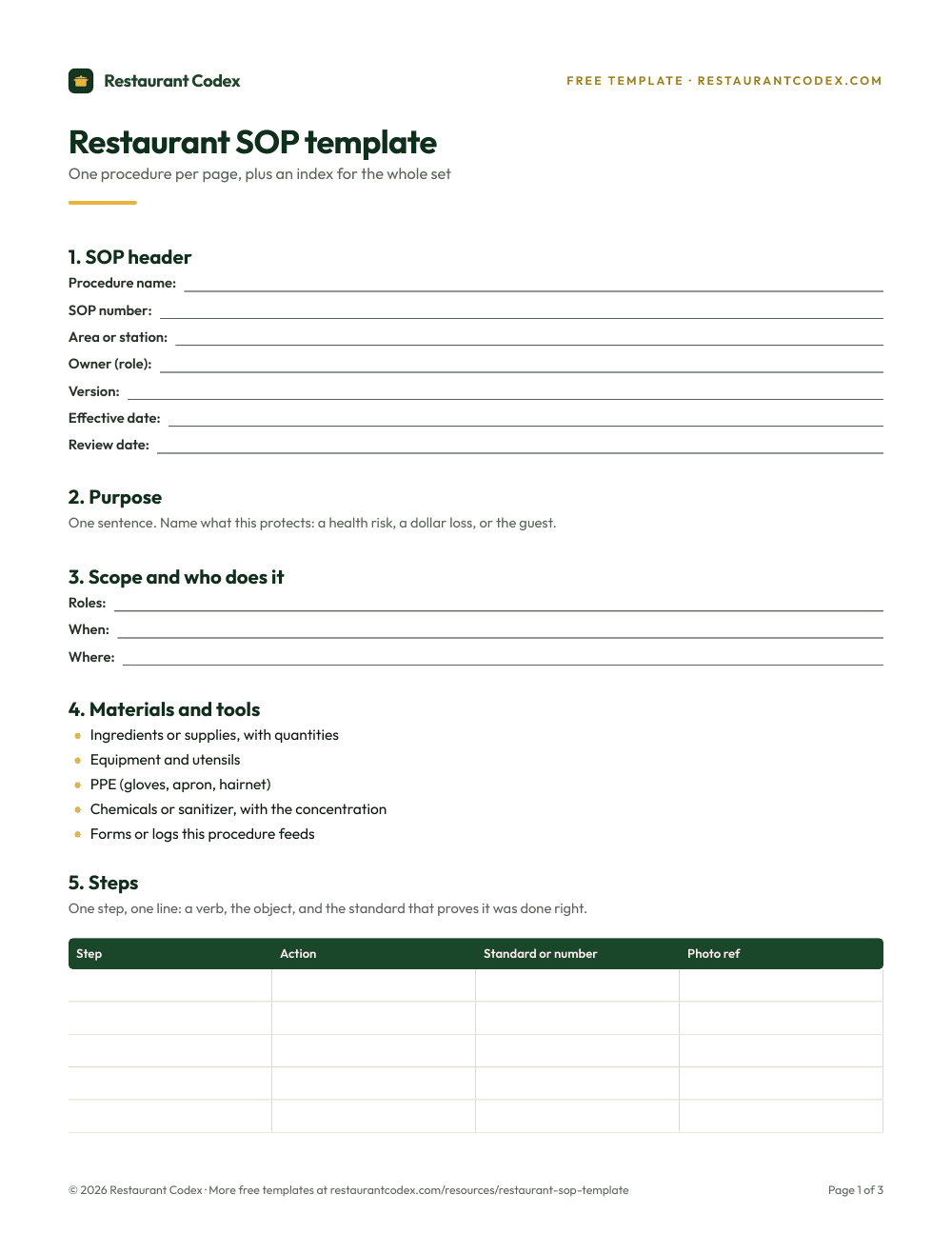
When a menu item or a regulation changes, the order that holds up is spec first, then the tasks built on it, then the training that teaches it, then the announcement that tells the floor. Order matters more than speed. Skip a step and you get the exact failure this guide keeps coming back to: a server selling a dish the kitchen has already changed.
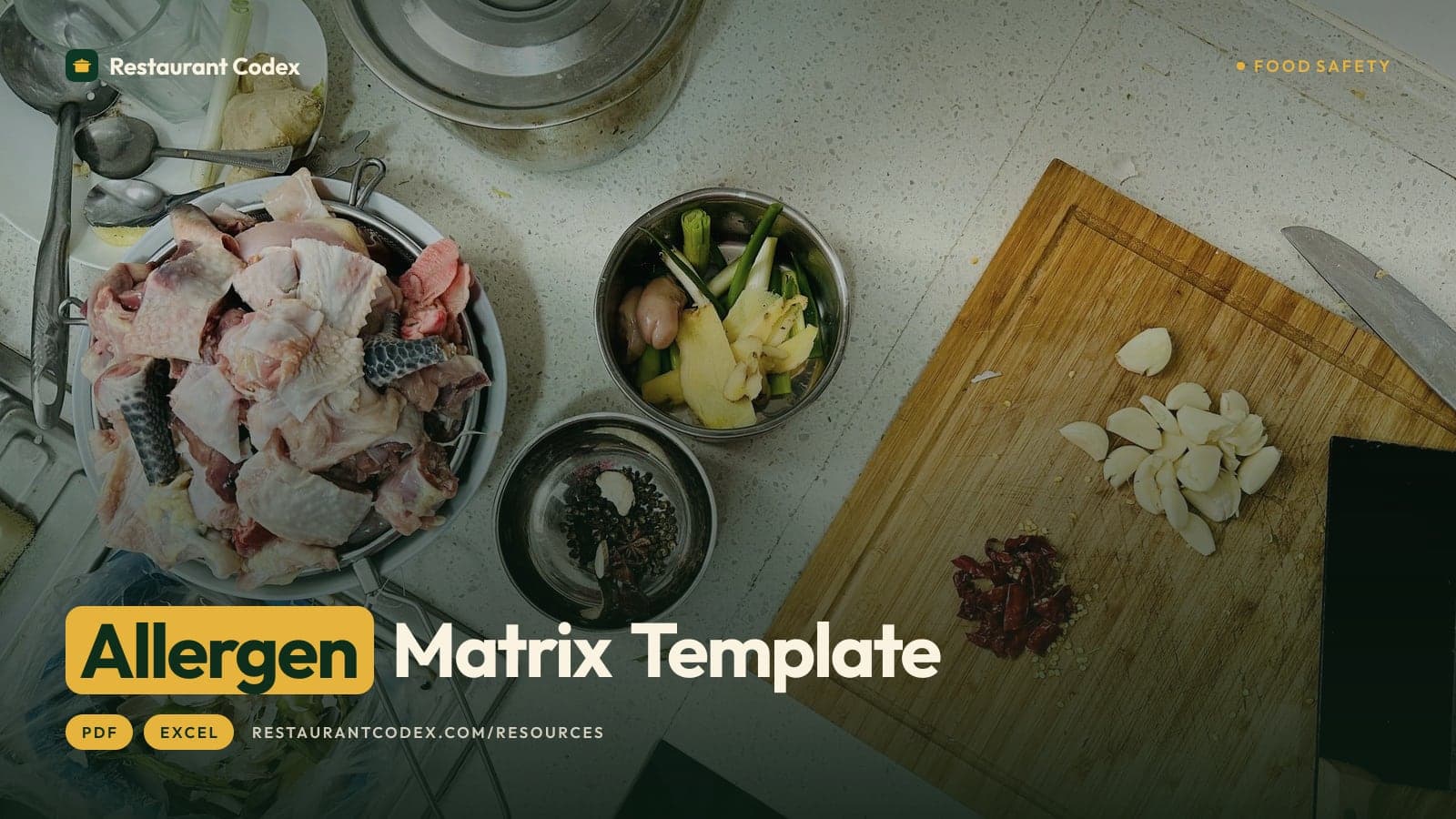
Walk it through with the actual sesame example. The kitchen's tahini dressing and its sesame-crusted tuna both needed their recipe cards flagged the moment sesame became allergen number nine. The allergen matrix needed the same two rows checked in a new column. The server script needed one new sentence for anyone who asks about sesame allergies. Training needed a five-minute note at the next pre-shift, not a full re-certification. The ServSafe Manager standard your team already trained to doesn't change; only the matrix and the script do.
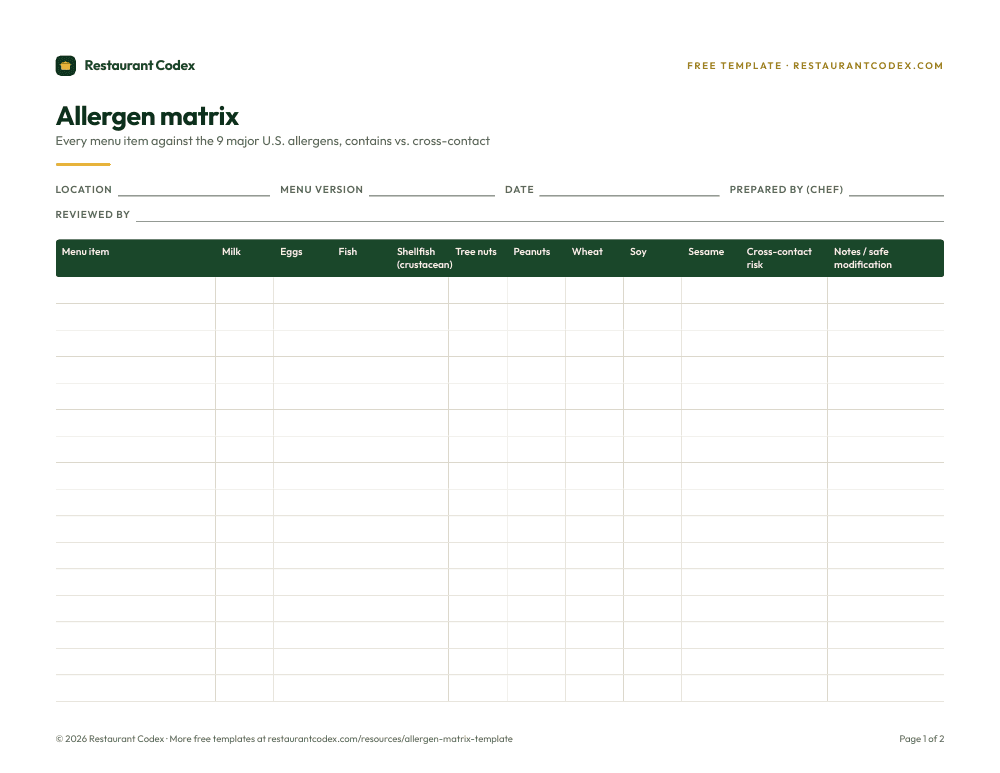
Do it out of order and the gaps show up exactly where you'd expect. A matrix updated before the recipe still describes yesterday's dish. A shift note without an updated script gets a server the right instinct and the wrong words. The library only earns the word "current" when every piece touching one fact gets touched in the same pass, not whenever someone happens to remember.
How Can an AI Assistant Help Restaurant Staff on Shift?
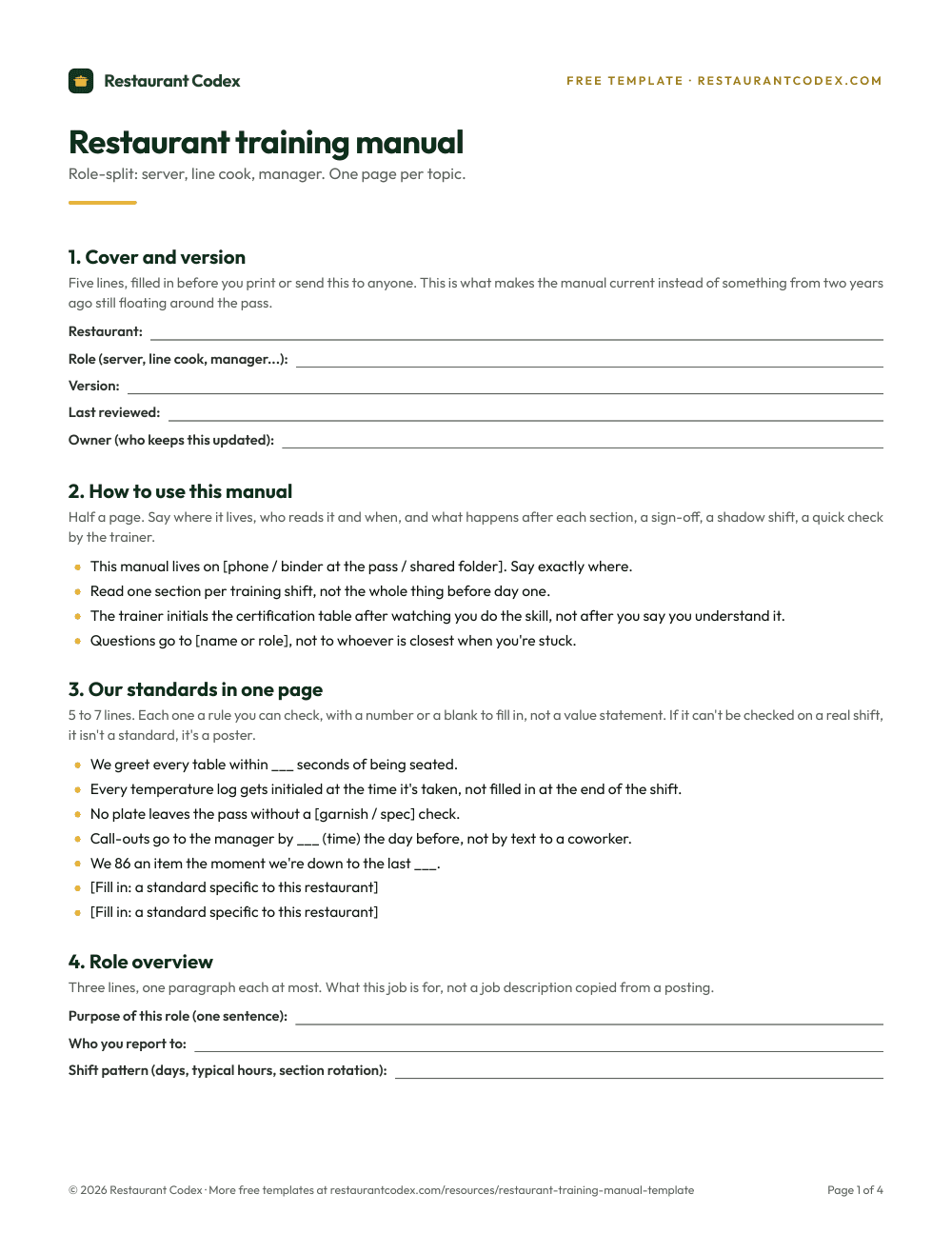
An AI assistant helps restaurant staff by answering shift questions from your own approved content instead of the open internet, cutting the number of times a new hire has to pull a manager off the floor to ask something the answer already exists for. That's the entire value case. Not novelty, not a chatbot for its own sake, just fewer interruptions and fewer wrong answers when the kitchen is loud and the manager is three tickets deep.
Three groups get the most out of it. New hires self-serve small, specific answers, "what goes on the club before the bacon," without hunting down whoever trained them last week. Multilingual staff get consistent phrasing instead of whatever translation happened to survive the last verbal handoff, which matters given that 28% of the U.S. restaurant workforce identifies as Hispanic, according to National Restaurant Association data. And guest-facing answers get tighter because a server repeating what the assistant pulled from the approved allergen matrix is repeating the same words a manager would use, not improvising.
The distinction that matters is grounding. An assistant answering from your recipes, your SOPs, and your allergen data is fundamentally different from generic chat pulling from the open web, which can invent an ingredient or a temperature with the same confident tone it gets the real one right. Our guide to AI in restaurant operations goes deeper on where that line sits.
Should Restaurants Use AI for Daily Operations?
Yes, where it's grounded in your own approved content, and no, where it's guessing. That's the whole rule, and it's worth being that blunt about it, because the alternative, a generic model answering food safety or allergen questions from whatever it half-remembers off the internet, is a liability wearing a helpful voice.
Here's what that looks like gone wrong, and it's not hypothetical. While researching this guide, we found a free temperature-log template built on the UK's 8°C cold-holding threshold instead of the FDA Food Code's 41°F, sitting on a page aimed at U.S. kitchens. Nobody caught it because nothing checked it against the actual standard. An ungrounded AI assistant makes the same kind of mistake at a much faster pace, confidently, in a chat window a stressed new hire has no reason to doubt.
The fix isn't avoiding AI. It's governance before the clever prompt: tag exactly what the assistant is allowed to answer from your library, write down what it must refuse and hand to a person instead, a complex allergy, a medical event, a harassment complaint, a cash exception, and set the escalation path so staff know where "ask a manager" starts. Log the questions staff actually ask. That's a better training-gap signal than a survey, and it costs nothing extra to collect once the assistant's already answering.
Running One Knowledge Base Across Every Location
Across a group, HQ standardizes the content and each location owns the exceptions, so a cook transferring from store 4 to store 9 finds the same answer under the same name in both places. The temperature standard, the allergen matrix, the core recipe builds, and the safety SOPs should read identically at every location, because those are the documents a health inspector, a lawyer, or a transferring employee needs to match without a footnote.
What a GM should be free to adapt is local, not structural: which vendor to call for the walk-in, which door the delivery truck uses, this month's deep-clean schedule. The trap multi-unit operators fall into is letting that local flexibility bleed into things that shouldn't move, so store 6's cooling procedure quietly drifts from store 2's over eighteen months of small, well-meant edits. The fix is the same one that works for SOPs: lock a number and an owner on anything with a health, safety, or brand standard attached to it, and let everything else be a footnote a GM can touch without asking.
The other multi-unit win is visibility HQ doesn't get from a shared drive at all: which locations are still running last year's allergen matrix, which store's equipment manuals haven't been touched since a manager who left in the spring updated them, and which Codex Bot conversations are surfacing the same question over and over. That pattern usually means the document needs a rewrite, not that staff need to be told to read it more carefully. A standing operations audit catches the same gaps from the floor instead of the dashboard, and the two checks tend to agree.
Where Restaurant Knowledge Bases Break
The most common failure is the archive nobody opens: a well-organized library that lives one click too many away from where the work happens, so staff default back to asking a person. Four more patterns account for most of the rest. The second is no owner, so a document goes stale the day the person who wrote it stops caring or leaves, and nobody notices for months. The third is a shared drive dressed up as a knowledge base, folders with better names but the same lack of versioning, permissions, or search underneath.
The fourth is updating one document and not its neighbors, the sesame problem from earlier in reverse: a recipe changes, the matrix doesn't, and a server tells a guest with a sesame allergy the wrong thing with total confidence. The fifth is turning on an AI assistant before the library underneath it is actually good, which doesn't remove the garbage-in problem. It just answers questions faster with garbage.
How Restaurant Codex Approaches This
Restaurant Codex keeps recipes, SOPs, equipment notes, and policy in one knowledge base, shared with the job roles or teams that need them, so a change made once reaches every location that uses it. Codex Bot answers shift questions from that same library, shows the entry it pulled the answer from, doesn't search the open web, and never changes a record. None of that replaces a well-run kitchen. It just keeps the answer the same whether the question comes from a new hire's phone or store 9's.
Restaurant Codex
The same checklist, on every phone, with photo proof
Restaurant Codex runs this template as a live task with timestamps, photos and one view across every location. Bring it to a 30-minute working session and we'll show you how it would run across your locations.
By the Restaurant Codex team
Written with operators who run multi-location restaurant groups. Reviewed against the FDA Food Code and the sources listed below.
Sources
- FDA Food Code 2026, Chapter 3: cold holding at 41°F or below (3-501.16), cooling (3-501.14)
- FDA, FASTER Act: Sesame Becomes the Ninth Major Food Allergen, effective January 1, 2023
- National Restaurant Association, U.S. Restaurant Employee Demographics
- U.S. Bureau of Labor Statistics, JOLTS, Table 4: quits rate by industry
- ServSafe Manager Certification, ANAB-CFP accredited, administered by the National Restaurant Association