Who is Google Sheets plus WhatsApp enough for?
It's enough for a single restaurant, or two close together, where the owner or one trusted manager is on site most days and checks the work in person. The spreadsheet holds the numbers, the chat moves the news, and nothing stands between you and the kitchen. That's a real system, not a stopgap.
Neither tool was built for restaurant operations, and neither pretends to be. Google says on its Sheets page that anyone with a Google Account can create in Sheets, and describes co-editing, sharing settings and revision history. WhatsApp describes its Business app as built "with the small business owner in mind," for managing conversations with customers. And your team already has a chat: INEGI reports that 90.6% of smartphone users in Mexico used instant messaging apps in 2024. Zero adoption cost is the biggest advantage either tool has.
It's also the size most restaurants are. By our analysis of INEGI's DENUE 05/2026, 88.7% of Mexico's 741,499 restaurants employ 0 to 5 people (the data). For many of them, a sheet and a chat are the right tool.
Restaurant Codex is built for restaurant groups, typically 2 to 30 locations, and it's priced per location. Restaurant groups that run on Restaurant Codex include Mercado 24 in Guatemala City, where chef Pablo Díaz's restaurant is No. 42 on Latin America's 50 Best Restaurants 2025, Koli Cocina de Origen in Monterrey, which has held one MICHELIN Star since 2024, and Tapiz Bistro & Bakery in Mexico City. The awards belong to those restaurants, not to the software; see the customers page.
A hypothetical example: two partners run one café and take turns on the floor. They share a sheet with the weekly order and a chat with the six people on the team. If something goes wrong, one of them knows by lunch. They don't need software to see the work, because they are the software. Open a third location across town and the same setup becomes a different problem, which the section on several locations covers below.
What does each approach actually do?
Sheets and WhatsApp do general jobs well, and Restaurant Codex does the specific jobs of running a restaurant on a schedule, with a record behind each one. Row by row:
| Google Sheets plus WhatsApp | Restaurant Codex | |
|---|---|---|
| Task lists | Tick boxes in a sheet, or a "done" in the chat | Opening, closing and line-check lists run on schedule at each location, in its own time zone |
| Proof a task happened | A cell's edit history, which Google says misses some changes, or a photo someone posts in the chat | Tasks can require photo proof, and the app enforces it |
| Late-task alerts | Sheets notifications are set for yourself only | "Due soon" and "overdue" pushes to the assignee; managers get a "still not done" alert about an hour late |
| Recipes and SOPs | Files and photos, shared by link or posted in a group | Knowledge Base: SOPs, policies, the house manual and recipes with allergens, photos, yield and shelf life |
| Answering a staff question | Someone scrolls the chat or asks the manager | Codex Bot answers from the group's own manual and recipes and shows the entry it used |
| Training | A tracker you keep by hand | A path per job role on day one, tests graded on the server, a manager's sign-off at the station |
| Inventory and food cost | Count sheets and formulas you build | Invoice photos read line by line with price increases flagged, blind counts on the phone, waste logged with a reason, food cost per location |
| Supplier orders | A chat with each supplier | A buying list grouped by supplier, sent by email, WhatsApp or print |
| Several locations | One file or one group per location | Locations side by side, with a live activity feed |
| Accounting, payroll, scheduling, POS | Sheets can hold the numbers | Not included; Codex Copilot can reach those tools through MCP |
| How staff get in | A Google Account, and a phone number in the group | The staff app installs from the browser and signs in with a code sent by text |
| Languages | Google's Workspace site offers a Spanish (Latin America) option for Mexico; WhatsApp's site is available in Spanish | English, Spanish (Latin America) and Portuguese (Latin America), chosen per person |
| Price | See below | Per location, quoted on a 30-minute call |
Read the table by what's missing in both directions. Restaurant Codex isn't a point of sale, accounting, payroll or scheduling system, so your P&L model, your payroll and your roster stay wherever they live today, and Sheets is often the right home for them. A spreadsheet doesn't read invoices, nudge a late task or test a new hire unless you build that yourself, and then you're the one maintaining it.
Where Google Sheets plus WhatsApp is the better choice
It's the better choice when one person sees everything. A system costs setup and a habit, and a spreadsheet you built fits your menu and your way of working exactly. You can change it in the middle of a shift, with nobody to retrain.
It's also better for any math you design yourself. Break-even, a budget, a catering quote and a P&L are models, and Sheets is where models live. Google's help page puts the limit at 20 million cells or 100MB per spreadsheet, and a restaurant's model won't get near that. Our P&L guide has a worked one, and the free prime cost and weekly P&L tracker is an Excel file.
And it's better for the quick message. WhatsApp is where your suppliers already are, and for "the walk-in is down" nothing beats a message that gets read in seconds. Restaurant Codex doesn't ask you to give that up. Its buying list goes out by WhatsApp too.
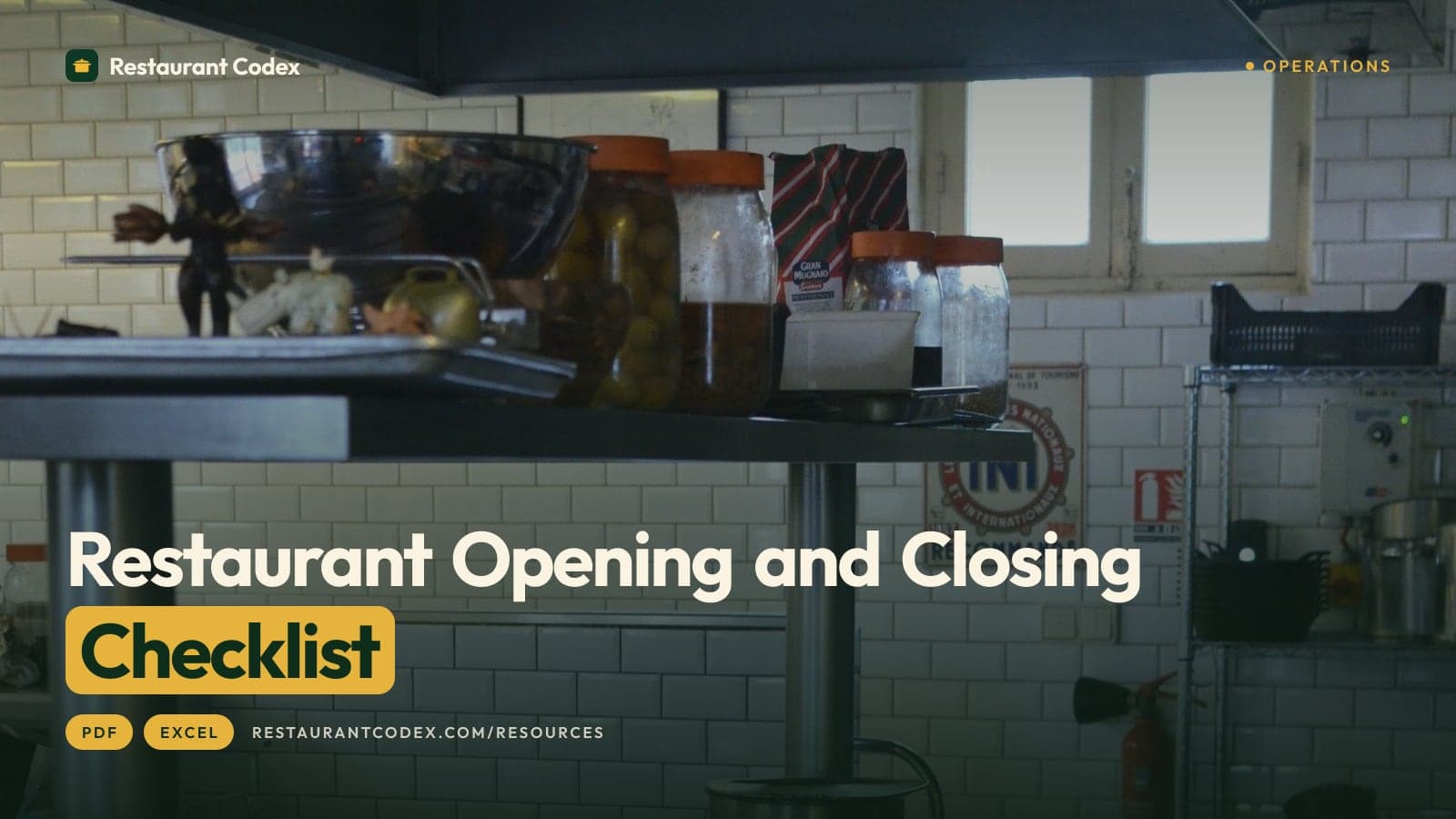
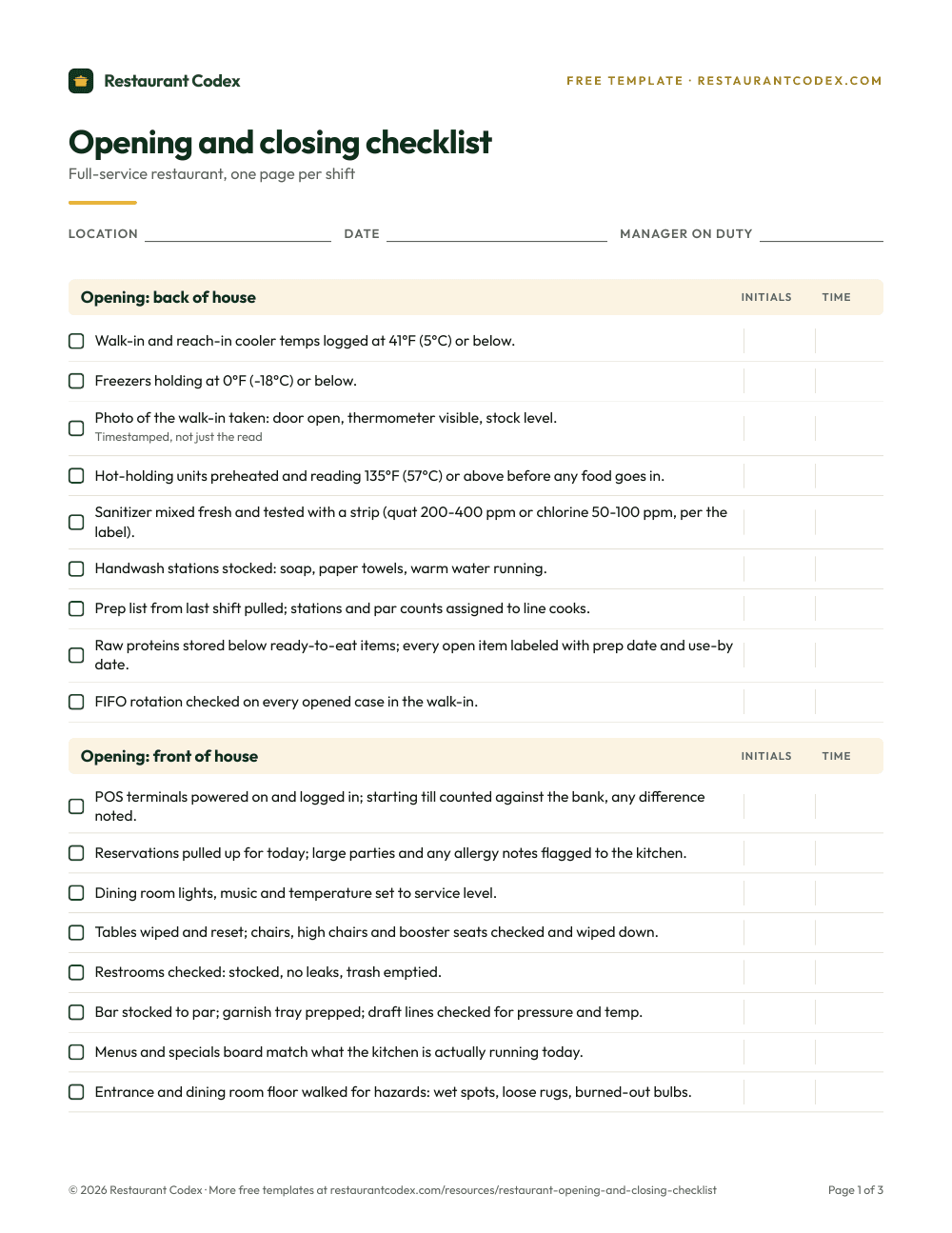
Last, it's the better choice while the work is only yours. If no one else has to prove anything to anyone, a record is overhead. Starting from a free checklist in Excel is a fair way to find out what you need before you pay for anything.
Where Restaurant Codex is the better choice
Restaurant Codex is the better choice when someone other than you does the work and you need to know it happened. Six places the spreadsheet-and-chat setup breaks, each tied to what Google and WhatsApp say about their own tools.
Proof. Google's help page describes tick boxes as cells with a ticked and an unticked value, such as Yes and No, and doesn't describe them recording who ticked or when. A cell's edit history is the closest thing, and Google lists what it misses: added or deleted rows and columns, changes to a cell's format, and changes made by formulas. In the chat, "done" is a word. In Restaurant Codex, a task can require photo proof, and the app enforces it.
Alerts. Google's notification settings are for yourself only. The rules that email you when a cell changes are limited to certain work or school accounts and don't support group email addresses. Those rules fire when a cell changes. They don't know a task was due, so nothing nudges the person who owns it and then tells their manager an hour later. Restaurant Codex does: a "due soon" push, an "overdue" push at the due time, and a "still not done" alert to the location's managers about an hour late.
Memory. WhatsApp's group message history, announced on February 19, 2026, lets someone send a new member between 25 and 100 recent messages, and no more. A new manager inherits a scroll with the context cut off. In the Knowledge Base, the house manual, SOPs and recipes are written once and shared with the roles that need them, and Codex Bot answers staff from those entries.
Access. Google's help page says protecting a range isn't a security measure, and that if you can edit a spreadsheet you can't take permissions away from its owners. A former employee also stays in a WhatsApp group until someone removes them; the WhatsApp operations guide covers that offboarding step. Restaurant Codex uses role-based access (Owner, Manager, Staff), and each organization is isolated.
Training. A tracker in Sheets is only as current as the person who updates it. In Restaurant Codex a new hire gets a path for their role in the staff app on day one, tests that AI can draft from the manual and a manager edits, graded on the server, and a manager signs off the practical skills at the station.
Inventory. Typing invoices into a sheet by hand is slow, and price increases are easy to miss. Restaurant Codex reads the invoice photo line by line, flags increases and stops duplicates. No POS feed or recipe mapping is needed to start.
What doesn't work is copying a recipe into each location's sheet. It becomes three recipes the first time one cook edits one.
What does each cost?
Sheets needs nothing to start but a Google Account, and the real cost of the setup is the manager's time. Google's Sheets page says anyone with a Google Account can create in Sheets, and its Workspace pricing page, as read in October 2026, lists four tiers (Starter, Standard, Plus and Enterprise), priced per user per month, billed monthly, with 16% off for a one-year commitment. Read the current amount for your country on that page. WhatsApp's Business app page, as read in October 2026, doesn't state a price for the app. Its Platform, the API for larger businesses, bills per delivered message, by category.
Restaurant Codex is paid, per location, quoted on a 30-minute call, with no free tier and no public number. Each location includes Operations, Knowledge Base, Training and LMS, Inventory and Codex Copilot, plus 5 manager and admin seats and 50 staff app seats. Rollout runs through the 8-Week Implementation Program with the Restaurant Codex team.
The honest comparison is one price against the other cost. A hypothetical manager who spends 25 minutes a day chasing "did you do it?" messages and updating trackers spends 12.5 hours across 30 days. Put your own number on that and set it against a quote.
What changes across several locations?
The setup that works at one location falls over at three, because you can't be everywhere and the files stop agreeing with each other. Each location gets its own chat and its own copy of the sheet. The recipe drifts, the closing list gets edited by whoever opened the file last, and "how is the second store doing" means reading three chats and opening three files.
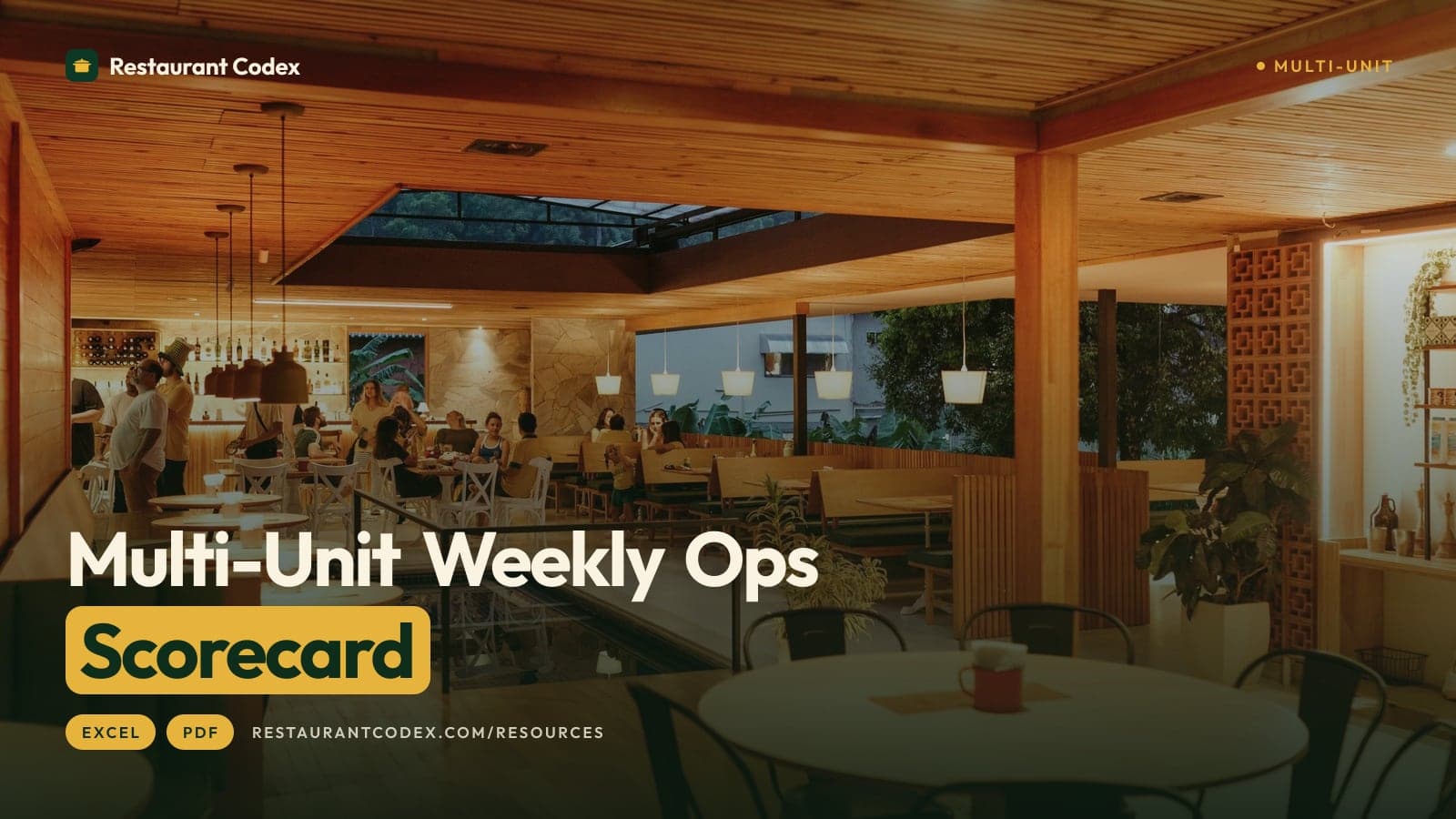
Restaurant Codex puts every location in one dashboard, running the same lists and recipes, in each location's own time zone. Managers get a morning plan and an end-of-day scoreboard, and owners compare locations side by side with a live activity feed. It compares how the work went, not the money; your P&L stays in your accounting software. Free templates can carry you a long way first: the weekly ops scorecard is an Excel file for exactly that.
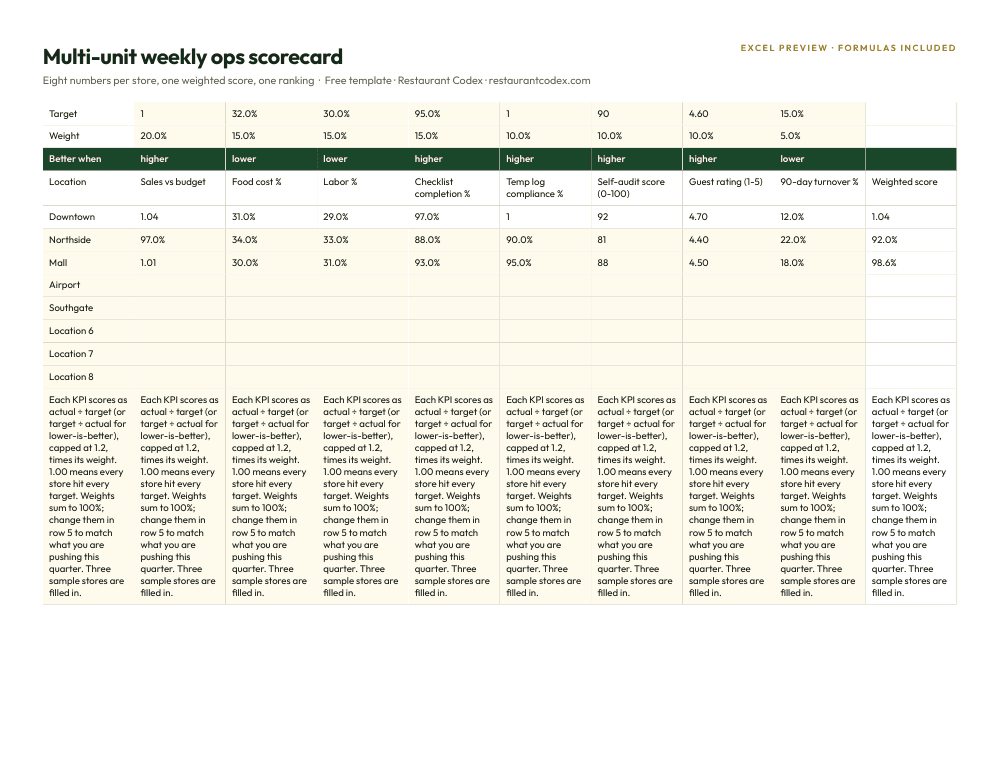
How do you decide?
Stay on Sheets and WhatsApp if you can see the work yourself and a missed task costs you nothing you can't fix by lunch. Move when seeing it yourself stops being possible.
Five signs, in the order restaurants usually hit them:
- A task was marked done and wasn't, and you found out from a guest.
- A new hire learns the recipes from whoever is on shift.
- You run more locations than you can visit in a week.
- You can't find the instruction you gave three weeks ago.
- A manager who leaves takes the chats, and the supplier prices in them, along with them.
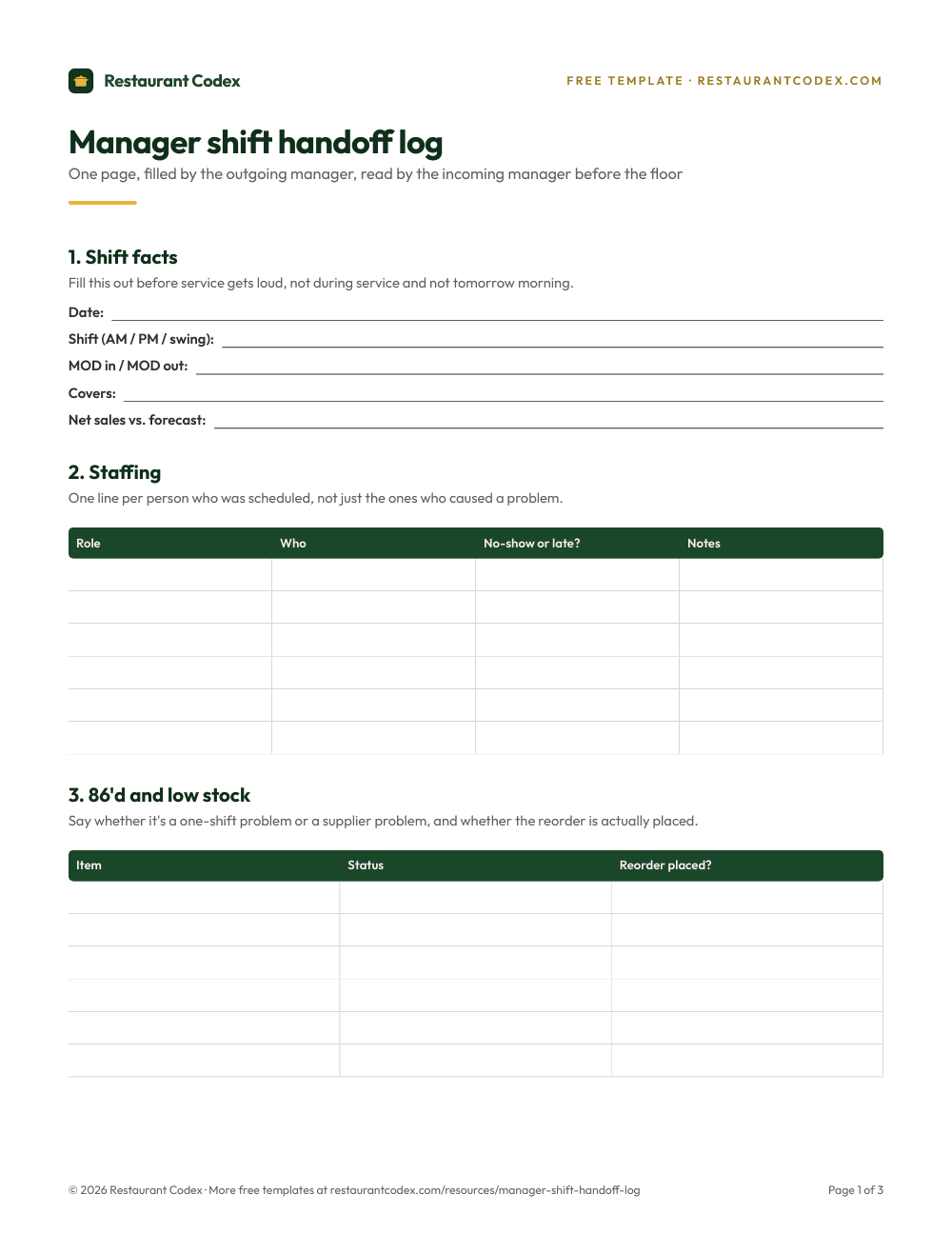
Two of five is our rule of thumb for a conversation, not a study. If you're there, the 30-minute call that quotes the price is also a fair place to ask whether Restaurant Codex covers the jobs your sheets do today, and which ones it leaves with your accountant. Many groups keep the P&L model in Sheets and the supplier chats in WhatsApp, and move only the daily operation. The shift handoff log is a free place to start.
Restaurant Codex is the restaurant operating system for multi-location groups: Operations, Knowledge Base, Training and LMS, Inventory and Codex Copilot, with every location in one dashboard. See what Restaurant Codex is and the multi-location view.
Restaurant Codex
The same checklist, on every phone, with photo proof
Restaurant Codex runs this template as a live task with timestamps, photos and one view across every location. Bring it to a 30-minute working session and we'll show you how it would run across your locations.
By the Restaurant Codex team
Written with operators who run multi-location restaurant groups. Reviewed against the FDA Food Code and the sources listed below.
Sources
- Google Workspace, Google Sheets (FAQ: who can create in Sheets, co-editing, sharing and revision history)
- Google Workspace, Pricing (plans, per user per month, annual commitment)
- Google Docs Editors Help, See the activity and changes in a file (version history and edit history)
- Google Docs Editors Help, Protect, hide and edit sheets (protected sheets and ranges)
- Google Docs Editors Help, Files you can store in Google Drive (Google Sheets limits)
- Google Docs Editors Help, Manage your notifications
- Google Docs Editors Help, Use conditional notifications
- Google Docs Editors Help, Add and use tick boxes
- WhatsApp, Groups
- WhatsApp Blog, Introducing Group Message History (February 19, 2026)
- WhatsApp Business, WhatsApp Business app
- WhatsApp Business, Platform pricing
- INEGI, Reporte de resultados 9/25, Encuesta Nacional sobre Disponibilidad y Uso de Tecnologías de la Información en los Hogares (ENDUTIH) 2024
- INEGI, Directorio Estadístico Nacional de Unidades Económicas (DENUE) 05/2026, bulk download, sector 72