Who is Zenput (CrunchTime) built for?
Zenput, now folded into CrunchTime's Operations Execution product, is built for large multiunit and franchise brands running centralized compliance audits across hundreds or thousands of locations. CrunchTime's own description is that the product helps "drive consistent restaurant operations execution at every location," aimed at multiunit restaurants and convenience stores, franchise organizations included. Its named case studies read like a list of the category's biggest brands, Chipotle, Jersey Mike's, Five Guys, Wingstop and Smoothie King among them, each one running into the thousands of locations, and the homepage also links case studies for Alshaya Group (a Kuwait-based franchise operator across the Middle East) and Guzman y Gomez (an Australian chain), which shows the reach goes beyond the US. The company claims 850+ brands across 150,000+ locations in total, and every pricing or signup path on the site routes straight to a demo request, not a self-serve account.
Restaurant Codex sits at an earlier point on that same curve: restaurant groups running 2 to 50 locations that want the same daily-operations discipline without a multi-week enterprise sales process.
Picture a 12-location regional chain reading CrunchTime's homepage. The case studies say Chipotle and Jersey Mike's, brands with procurement teams and integration budgets most 12-unit operators don't have yet. That's not misleading marketing, it's describing a different buyer than the one reading it. A group that size fits closer to where Restaurant Codex is built to operate, even if it plans to be the next Chipotle eventually.
What does each platform actually do?
CrunchTime covers ops execution, inventory and food cost, scheduling and POS integration; Restaurant Codex covers checklists, SOPs and recipes, training, inventory and food cost. Row by row:
| Zenput (CrunchTime) | Restaurant Codex | |
|---|---|---|
| Checklists and tasks | Line checks, opening checklists, audits | Checklists with photo proof and a timestamp on every completed task |
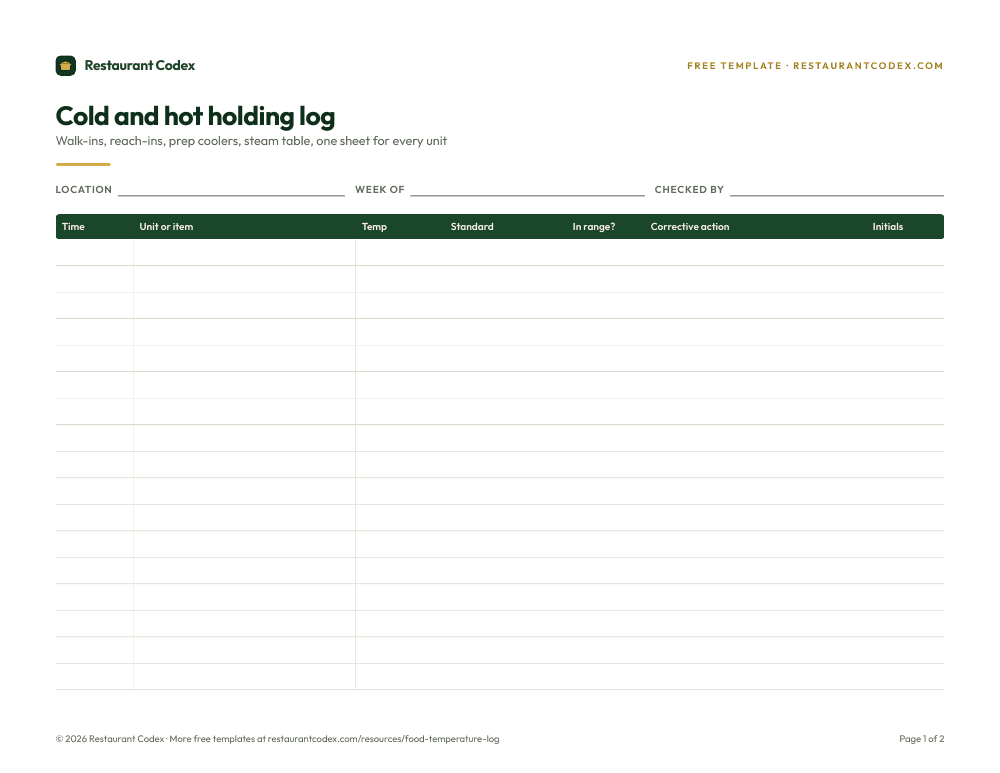
| Food safety and temps | Bluetooth temp-probe integration, automated alerts, recall and corrective-action tools | Temperature and food-safety checklists logged with photo proof and a timestamp |
| SOPs and recipes | No standalone knowledge base found | SOP and recipe knowledge base with an AI assistant that answers from the operator's own content |
| Training | "Restaurant Courses," QR-linked video (one case study names SPB Hospitality's TalentLink setup), claims up to 50% faster training and 30%+ less turnover | Training paths, quizzes and certifications tracked per employee |
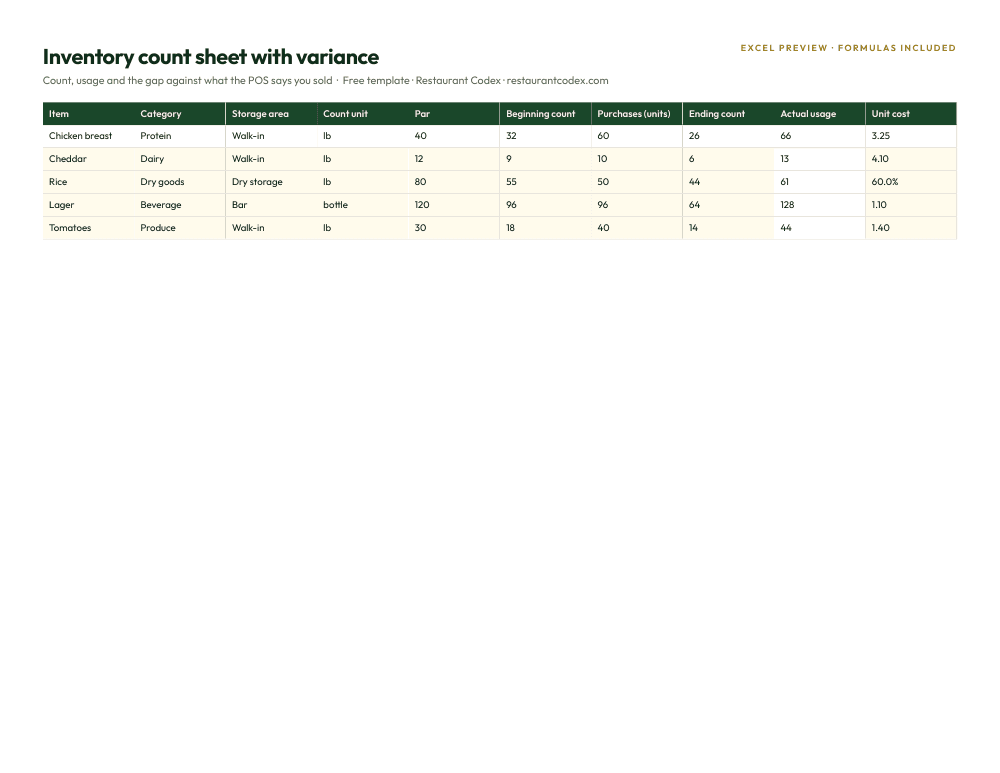
| Inventory and food cost | A core CrunchTime strength, unified with the ops suite | Inventory counts and food cost variance tracking |
| Scheduling | AI-powered scheduling and forecasting | Not a core feature of the platform |
| POS | Deep integrations: more than 20 systems listed, including Toast, Micros/Simphony, NCR Aloha, PAR, Square, Revel and Qu | Not offered |
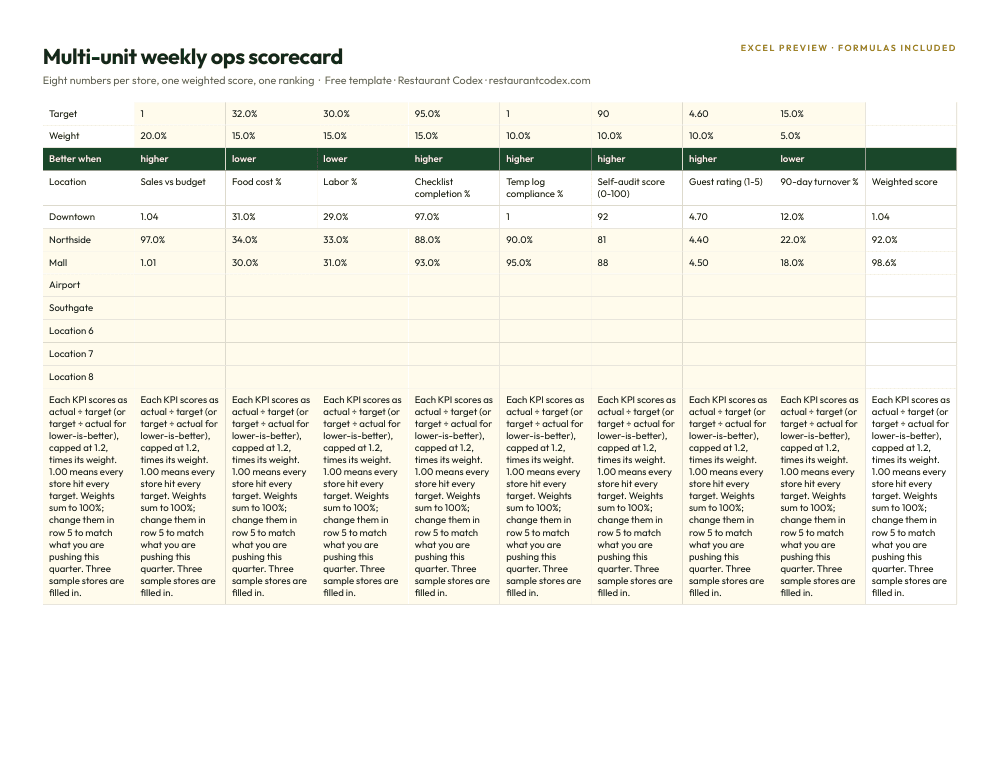
| Multi-location view | Dashboards with AI-flagged photo validation | One live view across every location as tasks are completed |
| Languages | Not stated on any page checked, despite case studies naming customers outside the US | English, Spanish (Latin America) and Portuguese (Latin America), chosen per person |
| How staff log in | Mobile app referenced; native-vs-web and offline details not published | QR code or phone number, no app store install |
| Pricing model | Quote-based, demo only; /pricing and /company/pricing both 404 as of October 2026 | Per-location subscription, quoted on a 30-minute call |
Read the table by what's missing as much as by what's checked. CrunchTime has no standalone knowledge base for SOPs and recipes, training runs through video courses rather than a searchable library, and no page states Spanish-language support one way or the other. Restaurant Codex, on the other hand, doesn't do scheduling or POS integration, two rows where CrunchTime's suite runs deep. Neither vendor covers everything; the honest read is which of those gaps you'd actually have to fill yourself.
Where Zenput (CrunchTime) is the better choice
Zenput (CrunchTime) is the better choice for a group that wants one vendor covering ops execution, inventory and labor together, not a checklist tool paired with a separate inventory system and a separate scheduling app. Inventory and food cost are a core CrunchTime strength, unified with the same suite that runs the compliance audits, and AI-powered scheduling and forecasting sit right next to it. A group juggling three point solutions today can collapse them into one CrunchTime contract instead.
It's also the better choice for a brand already operating at real enterprise scale, or inheriting a mixed fleet of POS systems from a franchise rollup or an acquisition. CrunchTime's integrations page now lists more than 20 POS systems, Toast, Micros/Simphony, NCR Aloha, PAR, Square, Revel and Qu among them, and its customer list, Chipotle, Jersey Mike's, Wingstop, Five Guys, Smoothie King, plus international names like Alshaya Group and Guzman y Gomez, is the strongest argument a buyer at that scale can make: the product has been proven at thousands of locations, not dozens, across more than one country.
And it's the better choice for a brand that wants temperature compliance to run with zero reliance on someone remembering to check. A Bluetooth probe that logs a reading automatically and fires an alert on a fail is a different compliance posture than a manager typing a number into a phone, and CrunchTime's recall and corrective-action tools build directly on that same automated data.
Where Restaurant Codex is the better choice
Restaurant Codex is the better choice for a group that isn't enterprise-scale yet. CrunchTime's own case studies name accounts in the thousands of locations; a 2-to-50-location group calling in for a demo isn't the buyer that sales process was built around. Restaurant Codex is sized for exactly that range, and onboarding is done directly with the operator rather than routed through a multi-stage enterprise deal.
It's also the better choice for SOPs and recipes specifically. CrunchTime's training module is video courses tied to a QR code; nothing on its site describes a standalone knowledge base. Restaurant Codex adds an SOP and recipe knowledge base with an AI assistant that answers from the operator's own content, so a new cook can ask what a dish's plating spec is instead of texting a manager mid-shift.
Languages are the third reason, stated plainly rather than assumed. Restaurant Codex runs in English, Spanish (Latin America) and Portuguese (Latin America), chosen per person. CrunchTime's case studies name customers in the Middle East and Australia, so the product clearly operates outside the US, but nothing on its site, help center, or product pages mentions Spanish-language support or a Latin American customer one way or the other, which is worth asking about directly on a demo call for any bilingual kitchen crew rather than assuming either way.
Capterra's complaint pattern, from this guide's original research, is worth naming plainly, not as a dig: reviewers described "too many layer for user and hierarchy" and noted that "training seemed lackluster," with task management feeling "too complicated" in some workflows. The same reviewers called form-building simple and praised the product for holding teams accountable, and support got called "amazing" more than once, so the complaints read more like the normal friction of an enterprise tool than a broken product. Ask for current feedback directly; review counts move. It's still worth weighing against how much configuration a smaller team actually wants to take on before it sees value.
Restaurant groups already running on Restaurant Codex include Mercado 24 in Guatemala City, where chef Pablo Díaz's kitchen is No. 42 on Latin America's 50 Best Restaurants 2025, Koli Cocina de Origen in Monterrey, which has held one MICHELIN Star since 2024, and Tapiz Bistro & Bakery in Mexico City. The recognition belongs to those restaurants, not to the software; see more on the customers page.
Picture a nine-location owner checking in before lunch service. In a CrunchTime setup, that owner already sees ops execution, inventory and scheduling in one dashboard, a real advantage once the group is running that many moving parts. In a Restaurant Codex setup at the same nine locations, that owner opens one live view and sees which stores are behind on closing checklists, which employees haven't finished a certification, and where an SOP question keeps getting asked, all without a device fleet or a franchise-scale sales process behind it.
What does each platform cost?
Neither company publishes a public rate card, but the path to a number looks different. CrunchTime's /pricing and /company/pricing pages both still return a 404 as of October 2026; every call to action on the site is a demo request, with no self-serve signup found anywhere. That's quote-based, and this guide's original research found reviewers rating the product 4.7 out of 5 across 52 reviews on both Capterra and Software Advice, the same underlying dataset counted twice.
Restaurant Codex is also quote-based, per location, set on a 30-minute call rather than a multi-stage enterprise sales process. Neither number appears until you talk to someone; the real difference is how long that conversation takes to schedule and how many people are typically in the room for it once it does. CrunchTime's automated temperature monitoring depends on Bluetooth probes, and no page published states whether those come with the software or get quoted separately; ask for that line item explicitly rather than assuming either way.
What changes for a group scaling past 50 locations
Past 50 locations the two platforms stop being alternatives: CrunchTime is built for that size and Restaurant Codex is not. A five-location group can run either one and feel the gaps much less. CrunchTime's ops execution, inventory and scheduling being unified matters more the more locations there are pulling from the same forecast, and its POS integration breadth becomes the difference between a clean data feed and a manual reconciliation at every new store that joins with a different system already installed.
Restaurant Codex was built around a narrower promise for that same growth curve: an SOP and recipe knowledge base a GM at location 40 can search the same way a GM at location 1 does, with the AI assistant answering from the group's own content instead of whatever that manager happens to remember, and new hires at every location joining the same way, QR code or phone number, so opening a new store doesn't mean provisioning new devices. Past a certain size, a group serious about inventory-heavy, POS-integrated ops execution outgrows what Restaurant Codex is built to do; a group that's still 2 to 50 locations and hasn't outgrown it yet gets a system sized to where it actually is.
How to decide in one afternoon
Book both calls the same week and ask each vendor the same five questions. First, what this actually costs per location, all in, including any hardware CrunchTime would want on top of the subscription for automated temperature monitoring. Second, where SOPs, recipes and training live: one searchable system, or video courses with no library behind them. Third, whether the platform runs in Spanish, and whether it's sold and supported in Latin America at all, if any part of the kitchen team needs it. Fourth, whether inventory, food cost and scheduling need to live in the same system as compliance, or whether a separate tool for those is fine. Fifth, ask each rep to demo the exact moment a manager gets flagged for a missed temperature check, not the slide about it, the actual screen, since that's the workflow that either becomes a five-second habit or a task staff learn to route around. The restaurant software stack guide is a useful read first if compliance is only one piece of the stack you're sorting out.
If the honest answer is that inventory, scheduling and ops execution need to run in one enterprise-proven system with deep POS reach, CrunchTime is a reasonable call to make first. If the honest answer is that the group is 2 to 50 locations, growing, and wants checklists, SOPs, training and food cost in one system a 30-minute call can actually configure, Restaurant Codex is worth the same afternoon.
Restaurant Codex keeps checklists, SOPs, training, inventory and food cost in one place: checklists with photo proof and a timestamp, an SOP and recipe knowledge base an AI assistant can answer questions from, training paths with quizzes and certifications, and one live view across every location, in English, Spanish (Latin America) and Portuguese (Latin America), staff joining by QR code or phone number instead of an app store.
Restaurant Codex
The same checklist, on every phone, with photo proof
Restaurant Codex runs this template as a live task with timestamps, photos and one view across every location. Bring it to a 30-minute working session and we'll show you how it would run across your locations.
By the Restaurant Codex team
Written with operators who run multi-location restaurant groups. Reviewed against the FDA Food Code and the sources listed below.