Who is Connecteam built for?
Connecteam is an all-in-one app for managing frontline teams: scheduling, time tracking, chat, tasks, forms, training and HR. Its home page says more than 80,000 businesses and 1.8 million users use it (other pages say 90,000 businesses, so treat the count loosely), and it lists construction, cleaning, healthcare, food and beverage, retail, field services and security. A restaurant page sits under food and beverage and quotes a Chick-fil-A operator. It's a general frontline app with a restaurant section, and its center of gravity is labor: who works when, and for how many hours.
Restaurant Codex is built for restaurant groups and priced per location, so a single-location owner gets the same product as a group. It runs the work on the shift (opening and closing lists with photo proof), the SOPs and recipes the team cooks from, training paths with a manager's sign-off, and inventory with food cost. Restaurant groups that run on Restaurant Codex include Mercado 24 in Guatemala City, where chef Pablo Díaz's kitchen is No. 42 on Latin America's 50 Best Restaurants 2025, Koli Cocina de Origen in Monterrey, which has held one MICHELIN Star since 2024, and Tapiz Bistro & Bakery in Mexico City. The awards belong to those restaurants, not to the software. See the customers page.
What does each platform actually do?
Connecteam covers the people side of a shift: schedule, clock, chat, tasks and HR. Restaurant Codex covers the standards side: lists, SOPs and recipes, training, inventory and food cost. Row by row, with Connecteam's side taken from its own site and help center in October 2026:
| Connecteam | Restaurant Codex | |
|---|---|---|
| Scheduling | AI auto-scheduling by availability, roles, labor laws and cost; templates and recurring shifts; open shifts and swaps; planned vs actual hours | Not offered |
| Time clock and payroll | Clock-in by phone, shared tablet or NFC tag; geofence per location; timesheet approvals; payroll integrations with QuickBooks, Gusto, ADP and Xero | Not offered |
| Checklists and forms | Digital checklists and forms with photos, notes and signatures; assigned by role, shift or location; AI turns a photo of a paper form into a digital one; conditional fields from the Advanced plan | Opening and closing lists, line checks, temperature logs, deep cleans and side work on schedule in each location's time zone; photo proof the app enforces |
| Tasks and follow-up | One-time and recurring tasks, subtasks, comments, push reminders, live status of open and overdue work | "Due soon" and "overdue" pushes to the assignee, then a "still not done" alert to managers about an hour late |
| Chat and announcements | 1:1 and group chat, a company feed, polls and surveys, read tracking; pop-up updates with read confirmation on Expert | Copilot can send announcements; no team chat listed |
| Knowledge base | Files such as manuals, menus and handbooks, with permissions and view tracking; AI Agent answers from in-app resources | SOPs, policies, house manual and recipes shared by role; Codex Bot answers from the group's manual and shows the entry it used |
| Recipes | No recipe product listed | Plate and batch recipes with allergens, photos, yield and shelf life |
| Training | Courses built with AI from a prompt or uploaded as SCORM; quizzes; completion records; assigned to people, teams or sites | A learning path per role on day one, AI-drafted tests a manager edits, a manager's practical sign-off at the station, certificates, readiness by location, role and path |
| Inventory and food cost | No inventory product listed | Invoices read line by line with price increases flagged, blind counts, waste with a reason, buying list by supplier, food cost per location |
| HR | Hiring, onboarding documents, time off, e-sign, recognition (HR & Skills hub) | Not offered |
| Security | ISO 27001 and SOC 2 badges; SSO and 2FA on Enterprise | SOC 2 aligned, on SOC 2 Type II certified hosts; roles Owner, Manager, Staff |
| Offline | Not supported, including clock-in | Not described on the Restaurant Codex site |
| Languages | Dashboard and mobile app include Spanish and Portuguese; the app follows the phone's language | App in English, Spanish (Latin America), Portuguese (Latin America), chosen per person |
| Pricing model | Free up to 10 users; paid plans per hub, flat for the first 30 users | Per location, quoted on a 30-minute call, no free tier |
The table shows two different jobs. A restaurant that runs only Connecteam has the schedule, the hours and a good staff channel, and keeps recipes and food cost somewhere else. A restaurant that runs only Restaurant Codex has the standards, the training and the inventory, and has no way to build a schedule, clock a shift or run payroll.
Where Connecteam is the better choice
Connecteam is the better choice when the labor side is the problem. Its scheduler builds a week from availability, roles, labor laws and cost, repeats shifts, fills call-outs with open shifts and lets staff swap with a manager's approval. The clock-in can be restricted by geofence, runs on a phone, a shared tablet or an NFC tag, and exports to QuickBooks, Gusto, ADP or Xero. Restaurant Codex has none of this.
It's the better choice for the staff channel. Chat, a company feed, polls, surveys and a directory sit in one app, and Connecteam says managers can see who read an update. Restaurant Codex has no team chat.
It's the better choice for HR paperwork. Hiring, onboarding documents, e-sign, time off and recognition live in its HR & Skills hub. Restaurant Codex covers training and certification but not these.
It's the better choice for price and trying it out. The free plan covers up to 10 users with every hub, the paid plans publish their prices, and the first 30 users are one flat price. Connecteam says you can be fully set up in a day with 24/7 live support. A small team that mostly needs a schedule, a clock and a group chat can start for nothing. Restaurant Codex has no free tier and quotes by call.
It's also the better choice when the checklists are simple. Connecteam builds digital checklists and forms with photos, notes and signatures, assigns them by role or shift, and its AI turns a photo of an existing paper form into a digital one. If your gap is "we have no digital checklist at all," Connecteam closes it, and its free plan makes it cheap to try.
Say a group of three cafes has constant shift swaps, hours that don't match the schedule and a WhatsApp thread nobody reads. Connecteam is built for that. Restaurant Codex doesn't touch it.
Where Restaurant Codex is the better choice
Restaurant Codex is the better choice when people don't know the standard, or food cost moves and nobody can say why. The Knowledge Base holds plate and batch recipes with allergens, photos, yield and shelf life, written once and shared with the roles that need them. Codex Bot answers a staff question from the group's own manual and shows the entry it used. Connecteam's knowledge base is a file library for things like manuals, menus and handbooks, and no recipe product is listed. See Knowledge Base.
It's the better choice for food cost. Invoices are photographed and read line by line, price increases are flagged, duplicates are stopped, counts are blind, waste carries a reason and the buying list goes out by supplier through email, WhatsApp or print. Connecteam lists no inventory product. See Inventory.
It's the better choice for training tied to your own recipes. Connecteam builds a course from a prompt or an upload and records completion and quiz results. Restaurant Codex gives each job role a learning path on day one that links the group's manual entries and recipes, lets AI draft tests from the manual for a manager to edit, and ends in a manager's practical sign-off at the station. The Connecteam training pages we read list quizzes and completion records, with no station sign-off. See Training and LMS.
And it's the better choice when each person should read the app in their own language. Connecteam's mobile app follows the phone's language setting. In Restaurant Codex, each person's language is chosen per person, among English, Spanish (Latin America) and Portuguese (Latin America).
Say a group changes a signature dish. The new recipe card, with its allergens, yield and shelf life, is written once in the Knowledge Base and shared with the roles that cook it, the line cook's path links to it, and a manager signs off the skill at the station. In Connecteam you could upload the recipe as a file and assign a course, but nothing ties the file, the course and the station skill together.
What does each platform cost?
Connecteam publishes its prices. As listed on Connecteam's pricing page in October 2026, in US dollars, each hub has Basic, Advanced, Expert and Enterprise plans, and the price covers the first 30 users:
| Hub | Basic | Advanced | Expert | Each extra user (Basic) |
|---|---|---|---|---|
| Operations (time clock, scheduling, forms, tasks) | $29 yearly, $35 monthly | $49 yearly, $59 monthly | $99 yearly, $119 monthly | $0.8 yearly, $1.0 monthly |
| Communications (chat, updates, knowledge base) | $29 yearly, $35 monthly | $49 yearly, $59 monthly | $99 yearly, $119 monthly | $0.5 yearly, $0.6 monthly |
| HR & Skills (courses, quizzes, documents, time off) | $29 yearly, $35 monthly | $49 yearly, $59 monthly | $99 yearly, $119 monthly | $0.5 yearly, $0.6 monthly |
Prices are per month. Enterprise is custom for every hub and adds SSO, two-factor authentication and a personal success manager. The Small Business plan is $0 for up to 10 users with all hubs. Each hub has limits that rise by plan. For example, conditional fields in forms start at Advanced, and the pop-up update with read confirmation starts at Expert.
Say a four-location group has 8 managers and 40 line staff, 48 users. On yearly billing, Operations Basic is $29 plus 18 extra users at $0.8, or $43.40 a month. Adding Communications Basic ($38) and HR & Skills Basic ($38) makes $119.40 a month, or $1,432.80 a year, before Advanced features. The price follows users, not locations, and Connecteam says you can deactivate inactive employees so you only pay for active ones.
Restaurant Codex shows no number. It's paid, priced per location and quoted on a 30-minute call, with no free tier. Each location includes Operations, Knowledge Base, Training and LMS, Inventory and Codex Copilot, 5 manager and admin seats and 50 staff app seats, and rollout runs through the 8-Week Implementation Program with weekly one-on-one meetings. Connecteam does not do the same work, so the real comparison is Connecteam's price plus whatever you use today for recipes, training and food cost.
What changes across several locations
Connecteam says you can manage all locations from one account, with schedules, teams and permissions organized per site, employees who work at more than one location, and reports per location or across the whole operation. For the labor side of a group, that's what you need: one view of hours and coverage.
Restaurant Codex is built around a different picture. Every location starts on the same plan, the Knowledge Base is written once and shared with the roles or teams that need it, and owners compare locations side by side with a live activity feed. Copilot lets an owner ask across the group in plain words and act in the same conversation. If you run a deep hierarchy, ask the Codex team to show how access is scoped by brand and location. See multi-location restaurant software.
Our guide to restaurant shift management covers the scheduling side in more detail.
How to decide
Start with the complaint you hear most. If managers say "I spend my Sundays building the schedule" or "the hours don't match," start with Connecteam. If they say "nobody knows how we make this," "was that person ever trained" or "why did food cost jump," start with Restaurant Codex.
Then check where the overlap would cost you. If you already use Connecteam for checklists and training, see whether those cover your recipes, your sign-offs and your inventory. If they don't, Restaurant Codex adds those without replacing the schedule or the clock. Our guide to the software restaurants use shows the other tools around either product.
Last, ask each vendor for the same demo. For Connecteam, watch an open shift get claimed, a clock-in blocked outside the geofence and a timesheet exported to payroll. For Restaurant Codex, watch a recipe change reach a line cook's phone and a new hire open their path on day one. Do the opening checklist in both and compare what the manager sees.
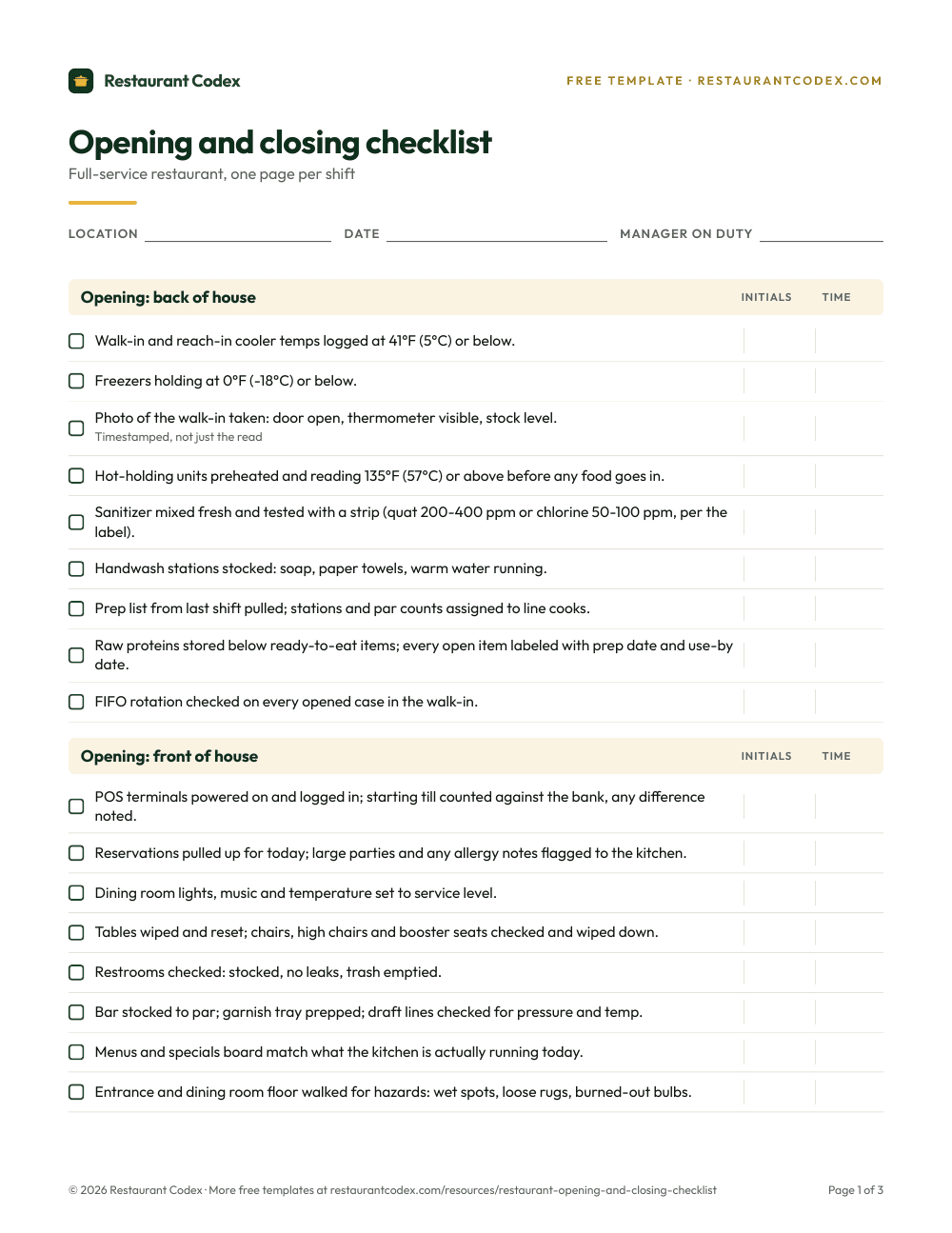
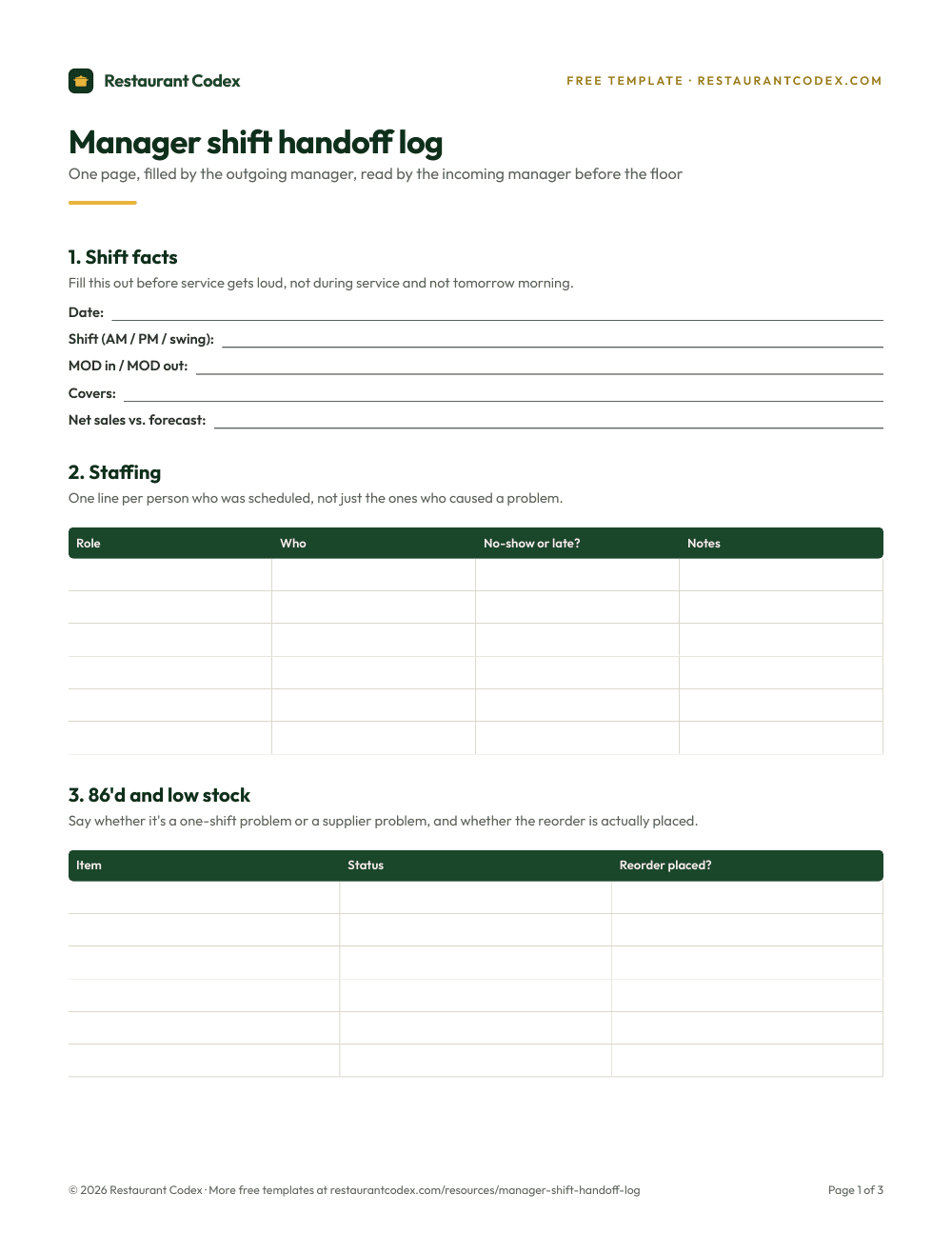
Restaurant Codex keeps checklists with photo proof, SOPs and recipes, training, inventory and food cost in one place, with one live view across every location. It does not schedule shifts, clock hours or run payroll.
Restaurant Codex
The same checklist, on every phone, with photo proof
Restaurant Codex runs this template as a live task with timestamps, photos and one view across every location. Bring it to a 30-minute working session and we'll show you how it would run across your locations.
By the Restaurant Codex team
Written with operators who run multi-location restaurant groups. Reviewed against the FDA Food Code and the sources listed below.
Sources
- Connecteam, Pricing
- Connecteam, Home
- Connecteam, Restaurant staff management app
- Connecteam, Digital Forms and Checklists
- Connecteam, Task Management
- Connecteam, Employee Training
- Connecteam, Knowledge Base
- Connecteam, Employee Scheduling
- Connecteam, AI capabilities
- Connecteam Help Center, Configure Your Preferred Language
- Connecteam Help Center, Can the Connecteam App be used Offline?
- Connecteam Help Center, Does the Time Clock Support Offline Mode?