Who is Restaurant365 built for?
Restaurant365 is built for operators who want the books and the operation in one system. Its own pricing page calls it an "all-in-one platform" that brings together accounting, inventory, workforce management and payroll, and the company says more than 52,000 restaurants use it. The pricing page names customers from Jack in the Box to Commander's Palace, and four of the people it quotes are finance leaders: a CFO, two controllers and a VP of Finance. That tells you who the platform talks to: someone who wants daily sales, bank reconciliation, AP and P&L tied to what the kitchen and the floor are doing.
Restaurant Codex is built for the floor side. It runs the checklists with photo proof, the SOPs and recipes the team works from, training paths and sign-offs, and inventory with food cost. It prices per location and suits one restaurant or twenty. It isn't accounting, payroll, scheduling or a time clock, so it never replaces a general ledger.
Restaurant groups that run on Restaurant Codex include Mercado 24 in Guatemala City, where chef Pablo Díaz's kitchen is No. 42 on Latin America's 50 Best Restaurants 2025, Koli Cocina de Origen in Monterrey, which has held one MICHELIN Star since 2024, and Tapiz Bistro & Bakery in Mexico City. The awards belong to those restaurants, not to the software. See the customers page.
What does each platform actually do?
Restaurant365 starts at the ledger and moves outward to the kitchen. Restaurant Codex starts at the kitchen and stops before the ledger. Row by row, with Restaurant365's side taken from its own pages in October 2026:
| Restaurant365 | Restaurant Codex | |
|---|---|---|
| Accounting | Core: restaurant-specific GL and chart of accounts, daily sales and bank reconciliation, automated AP, budgeting and forecasting, financial reporting | Not offered |
| Payroll and HR | Payroll, time tracking, tip automation, hiring and onboarding; the page describes automated tax filing | Not offered |
| Scheduling and time clock | Drag-and-drop scheduling tied to sales forecasts, shift swaps, time and attendance | Not offered |
| Task checklists | Task Management: "automated tasks that assign, track, and verify completion in real time"; photo proof is not described on the pages we read | Lists on schedule in each location's time zone; tasks can require photo proof; "due soon" and "overdue" pushes; managers alerted about an hour late |
| Shift notes | Logbook & Chat: shift notes, alerts, tasks, searchable history | Morning plan and end-of-day scoreboard for managers; live activity feed for owners |
| Training | Employee Training: paths per role, pre-built industry courses, custom content, AI-assisted translation, Always Food Safe certifications | A path per job role on day one, AI-drafted tests a manager edits, server-graded, practical sign-off, certificates, readiness by location, role and path |
| SOPs and policies | Not described as a feature on the pages we read; training can hold videos, checklists and guides | Knowledge Base for SOPs, policies and the house manual; Codex Bot answers staff from the group's own manual and shows the entry it used |
| Recipes | Costed recipes, batch recipes, yield tracking and one place to update recipes across locations; allergens, photos and method steps are not described | Recipes with allergens, photos, yield and shelf life, shared by role |
| Inventory and purchasing | Mobile counts, actual vs. theoretical, transfers, purchase orders, vendor integrations, invoice reconciliation, commissary, waste | Invoices photographed and read line by line, price increases flagged, blind counts, waste with a reason, buying list by supplier, food cost per location; no POS feed needed |
| AI | AI dashboards, listed under Inventory & Purchasing | Codex Copilot asks and acts across modules, with approvals, undo and a log |
| Languages | Site in English; mobile app available in Spanish | App in English, Spanish (Latin America) and Portuguese (Latin America), chosen per person |
| Pricing model | Modular; custom quote; no public price | Per location, quoted on a 30-minute call; no free tier |
The two don't compete on the ledger, because one has it and one doesn't. They meet in the middle, at tasks, training and inventory. Restaurant365 connects those to scheduling and the ledger. Restaurant Codex connects them to the SOP, the recipe and the photo.
Where Restaurant365 is the better choice
Restaurant365 is the better choice when the books are the problem. If you close the month late, reconcile sales by hand, chase AP or run several legal entities, Restaurant365 does that work and Restaurant Codex doesn't touch it. Its multi-location page lists consolidated reporting for every entity, intercompany transactions, multi-state payroll and "400+ integrations", and that is a different job from anything on our side.
It's the better choice if you want one vendor for accounting, scheduling and payroll, because it has all three and ties labor hours to sales. Its multi-location page describes schedules "tied to sales forecasts", and its mobile page describes approving invoices, purchase orders and journal entries from a phone. Restaurant Codex has none of that.
It's also the better choice for inventory that has to feed the accounting. Its Inventory & Purchasing module covers purchase orders, vendor integrations, actual vs. theoretical variance, transfers and commissary, and reconciles vendor invoices and verifies deliveries. If your controller wants the inventory in the same system as the GL, the fit is natural.
Its customer base is large and includes big quick-service brands as well as independents. If your group is already a Restaurant365 shop for finance, adding Task Management and Employee Training inside the same platform may be easier than starting a second one.
Where Restaurant Codex is the better choice
Restaurant Codex is the better choice when the standard isn't written down, taught or checked on the line. Restaurant365's pages describe tasks, training courses and a logbook. They don't describe a knowledge base where SOPs, policies and the house manual live next to recipes with allergens, photos, yield and shelf life, and where a cook asks a question and gets an answer from the group's own manual. Restaurant Codex puts those in the Knowledge Base, and Codex Bot shows which entry it used.
It's the better choice for proof on the task. Restaurant Codex lets a list require a photo, pushes "due soon" and "overdue" to the person who has it, and tells a manager about an hour after the deadline. Restaurant365's page says tasks "verify completion", but it doesn't say how, and photo proof isn't on the pages we read. Ask for that demo.
It's the better choice if you want a short rollout and no accounting project. Restaurant Codex doesn't need a POS feed for inventory, and it doesn't touch your ledger, so adopting it doesn't involve a finance migration. Every customer starts with the 8-Week Implementation Program, with weekly one-on-ones.
It's the better choice for a team that works in Spanish or Portuguese. Restaurant365's mobile app is available in Spanish, and its training can be translated into dozens of languages with AI support. Restaurant Codex runs the whole app in English, Spanish (Latin America) or Portuguese (Latin America), chosen by each person.
What does each platform cost?
Neither publishes a price. Restaurant365's pricing page, in October 2026, describes four modules and offers "Get a Custom Quote", and the multi-location page offers custom quotes for inventory and payroll. Restaurant Codex is paid, priced per location and quoted on a 30-minute call, with no free tier. Each Codex location includes Operations, Knowledge Base, Training and LMS, Inventory, Codex Copilot, 5 manager and admin seats and 50 staff app seats.
So the comparison is the questions you bring to each call. Ask Restaurant365 which modules your use case needs, whether Task Management and Employee Training are priced inside Workforce Management or on their own, what is charged per location, and what implementation costs. Its pricing page says a mobile app is included. Ask Restaurant Codex what the per-location price includes, how a group of your size is priced, and what the implementation program covers. Then put both against what you spend now on accounting software, paper checklists, training and inventory tools.
What changes across several locations
Restaurant365's multi-location pitch is financial. Its page for multi-location groups promises a daily view of P&Ls, labor and food cost across every location, automated intercompany transactions, shared inventory, multi-state payroll, and training with progress and certifications tracked at each unit. That is a strong offer for a group with several entities and a finance team.
Restaurant Codex's multi-location pitch is operational. Every location starts on the same plan, owners compare locations side by side with a live activity feed, managers get a morning plan and an end-of-day scoreboard, and the same recipes, SOPs and training paths reach every site. The question it answers is whether location twelve is doing what location one does, not whether location twelve's books reconcile. See multi-location restaurant software and the guide to software layers in a restaurant stack.
How to decide
Start with where the pain is. If it's the month-end close, AP, payroll or scheduling, you're shopping for a back-office platform, and Restaurant365 is built for that. If it's inconsistent plates, new hires who weren't taught, checklists nobody can prove, or food cost that drifts, you're shopping for an operations layer, and Restaurant Codex is built for that. Plenty of groups have both pains, and then the answer is two tools that do different jobs.
Then check what you already pay for. A group that already runs Restaurant365 for the books should ask whether the Workforce Management module covers its tasks and training, because adding a second system for the same job costs money and confuses managers. A group on QuickBooks or a spreadsheet for accounting and paper for everything else is in a different place, and doesn't need a full back-office platform to fix its checklists.
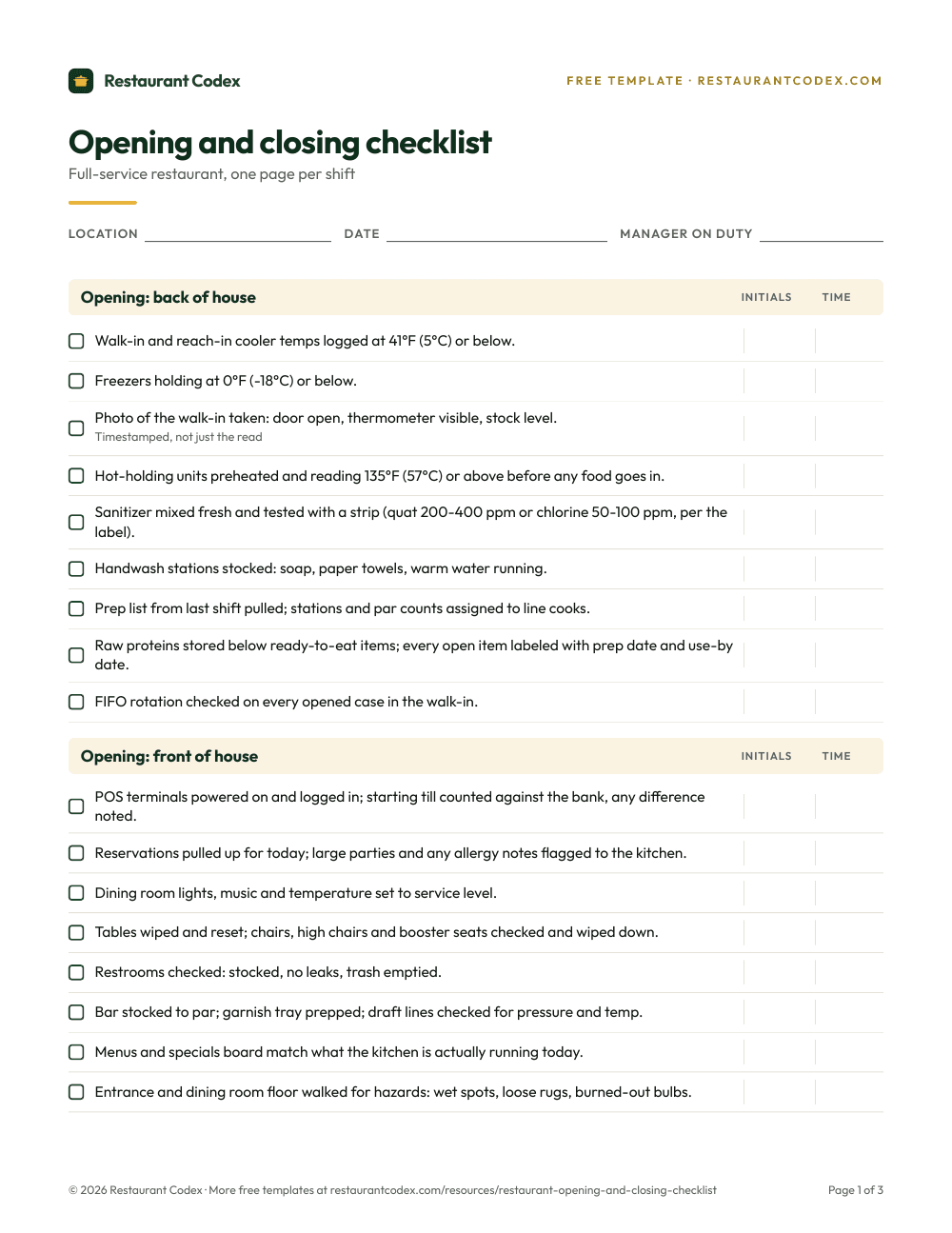
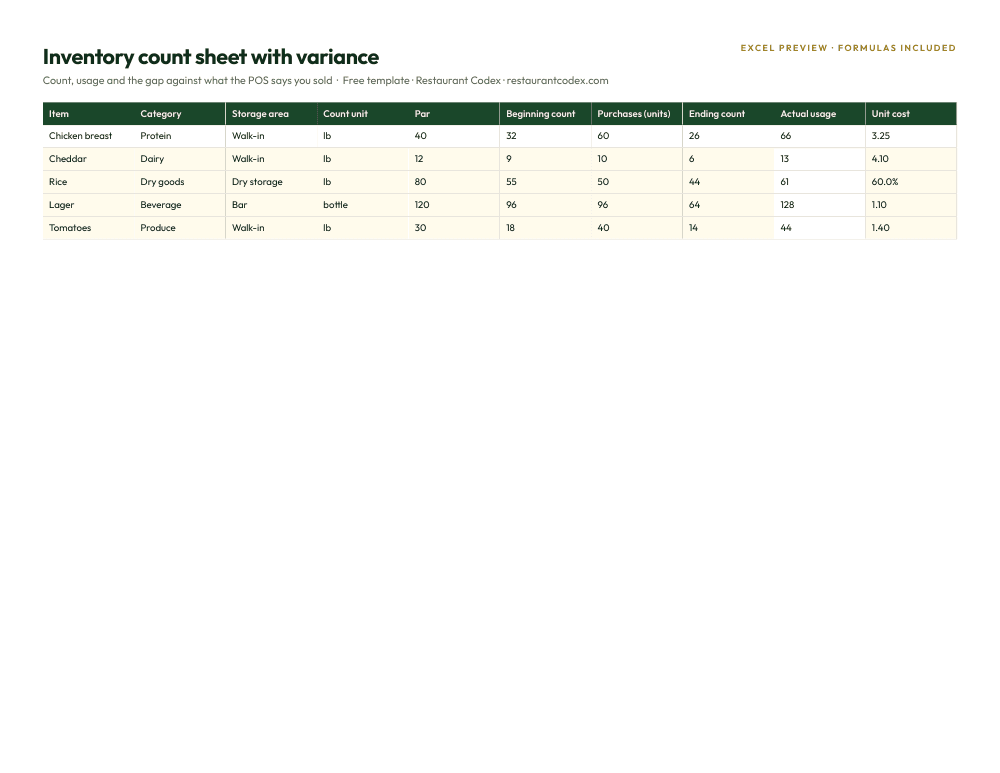
Last, ask both vendors for the same demo. For Restaurant365, ask to see a task with a photo go overdue and who is told, and where the SOP for that task lives. For Restaurant Codex, ask to see a recipe change reach a line cook's phone and how a manager signs off the practical skill. The weekly tracker below won't tell you which tool to buy, but it shows how much of your week goes to the money side and how much to the floor.


Restaurant Codex
The same checklist, on every phone, with photo proof
Restaurant Codex runs this template as a live task with timestamps, photos and one view across every location. Bring it to a 30-minute working session and we'll show you how it would run across your locations.
By the Restaurant Codex team
Written with operators who run multi-location restaurant groups. Reviewed against the FDA Food Code and the sources listed below.