Who is 7shifts built for?
7shifts is built for operators who need to schedule, pay and keep a restaurant team. The company calls itself a Restaurant HR Platform: hiring, onboarding, training, scheduling, time clocking, payroll and tips in one product. It was founded in 2014 and is based in Saskatoon, Canada, and it says 55,000+ restaurants and 1.5 million workers use it across North America (its own figures, from its AI information file). Its entry plan is free for one location with up to 15 employees, and the paid plans climb by team size, so it fits a single cafe and a multi-location group with a payroll to run.
Restaurant Codex is built for a different job. It is not a scheduling, time clock, tip or payroll system, and the Codex site says so. It runs the work that happens on the shift: opening and closing lists with photo proof, the SOPs and recipes the team cooks from, training paths and inventory with food cost. An owner with one restaurant gets the same product as an owner with twenty, priced per location.
Restaurant groups that run on Restaurant Codex include Mercado 24 in Guatemala City, where chef Pablo Díaz's kitchen is No. 42 on Latin America's 50 Best Restaurants 2025, Koli Cocina de Origen in Monterrey, which has held one MICHELIN Star since 2024, and Tapiz Bistro & Bakery in Mexico City. The awards belong to those restaurants, not to the software. See the customers page.
What does each platform actually do?
7shifts covers people and time: schedules, time clocks, tips, payroll, hiring, training and a manager log. Restaurant Codex covers the standards: checklists, SOPs and recipes, training, inventory and food cost. They overlap on task lists and training. Row by row, with 7shifts' side taken from its own product and pricing pages in October 2026:
| 7shifts | Restaurant Codex | |
|---|---|---|
| Scheduling and time clock | Core product: schedules, availability, time off, shift swaps, forecasting, time clocking, labor compliance tools | Not offered |
| Payroll and tips | Payroll (US only), Tip Management, tip pooling, on-demand pay | Not offered |
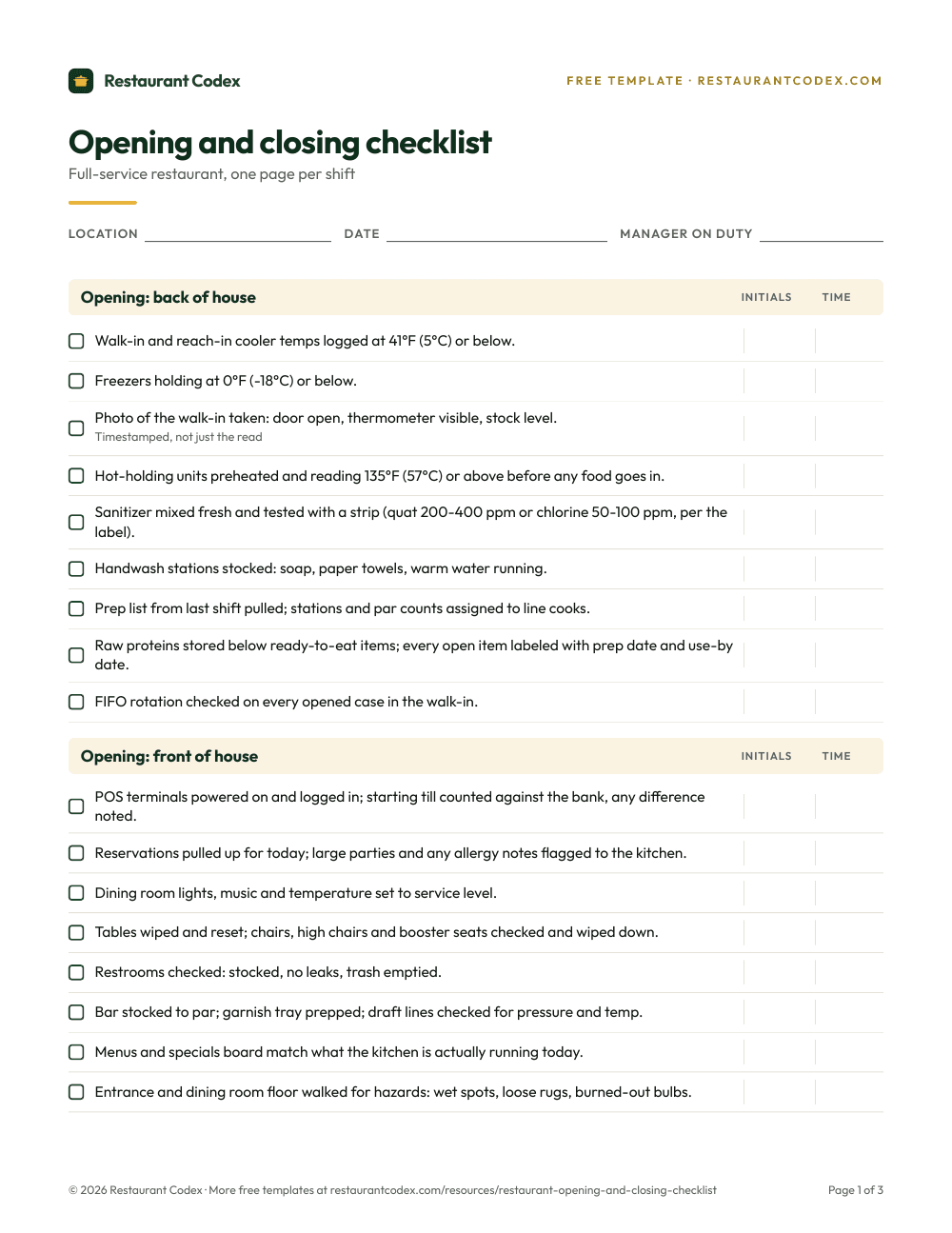
| Tasks and checklists | Task Management: recurring daily, weekly or one-time tasks attached to scheduled shifts by location, department or role, with timeframes and completion types such as photos, values and temperature readouts | Opening and closing lists, line checks, temperature logs and side work run on schedule at each location in its own time zone; tasks can require photo proof; "due soon" and "overdue" pushes, and managers alerted about an hour late |
| Manager log | Manager Log Book: shift notes, follow-up tasks, sales and labor data added to entries, searchable | Managers get a morning plan and an end-of-day scoreboard; owners get a live activity feed across locations |
| Training | Employee Training: courses built from SOPs, handbooks and menus, auto-quizzes, assigned by role or location, reminders, copied across locations | A learning path per job role on day one, tests AI can draft from the manual and a manager edits, a manager's practical sign-off at the station, certificates, readiness by location, role and path |
| SOPs and recipes | Document Storage for employee documents; no recipe or SOP knowledge base on the pages we read | Knowledge Base: SOPs, policies, the house manual and recipes with allergens, photos, yield and shelf life; Codex Bot answers staff from the group's own manual |
| Inventory and food cost | Not listed on the product pages we read | Supplier invoices photographed and read line by line, blind counts, waste logged with a reason, a buying list by supplier, food cost per location |
| AI | AI Course Builder for training | Codex Copilot: answers questions and acts across modules and locations, with approvals for risky changes and undo |
| Multi-location view | Operations Overview: sales, labor cost and sales per labor hour compared across locations by day, week or month | One live view across every location: what is done, what is late, training readiness, food cost |
| Languages | Apps in English, French and Spanish; "best suited" to North America | English, Spanish (Latin America) and Portuguese (Latin America), chosen per person |
| How staff log in | Free mobile app | Installs from the browser to the home screen, no app store, no email, no password; sign-in by a code sent by text |
| Pricing model | Per location per month, four plans including a free one | Per location, quoted on a 30-minute call, no free tier |
Read the table by what's missing. A restaurant that runs only 7shifts has a good schedule, a time clock and a payroll feed, and keeps its recipes, SOPs and food cost somewhere else. A restaurant that runs only Restaurant Codex has the standards and the inventory in one place and builds the schedule in something else. The middle of the table, tasks and training, is where you pick one home for them.
Where 7shifts is the better choice
7shifts is the better choice whenever the schedule is the problem. Nothing in Restaurant Codex builds a roster, tracks availability, handles a shift swap or runs a time clock, and 7shifts does all of that, built for restaurants only, with 20+ direct POS integrations (per its AI information file) feeding sales into the forecast. It says its forecasts are 95% accurate when a POS is connected. That is the vendor's figure, so test it against your own sales history on the trial.
It is also the better choice for US payroll and tips. Payroll, Tip Management and tip pooling are part of the same product that holds the schedule and time clock, so hours flow to pay without a retype. Restaurant Codex does not touch payroll or tips.
It's the better choice for a small team that wants no software bill. The Comp plan is free for one location up to 15 employees, as listed in October 2026, and a 14-day trial of the paid plans is free. A single cafe that only needs a schedule can stop there.
And if you already pay for Premium, its task lists are good enough to use. Task Management ties tasks to the shifts people are scheduled on, reminds them during the shift and shows a manager what is done, when and what is outstanding. 7shifts claims it raises task completion rates by 37%, a number the page gives without a method. If your lists are short, mostly opening and closing, adding a second system for them may not pay.
Where Restaurant Codex is the better choice
Restaurant Codex is the better choice when the problem is standards, not shifts. Recipes, SOPs, policies and the house manual are written once in the Knowledge Base and shared with the roles that need them, and Codex Bot answers a staff question from the group's own manual, shows the entry it used and never changes records. The 7shifts pages we read have no equivalent, only document storage and training courses.
It's the better choice for food cost. Supplier invoices are photographed and read line by line, price increases are flagged, duplicates are stopped, counts are blind, waste is logged with a reason, and the buying list is grouped by supplier and sent by email, WhatsApp or print. That all rolls up to food cost per location. The 7shifts product pages don't list any of it. See Inventory.
It's the better choice for training that has to prove someone can do the job. 7shifts builds courses and quizzes from your documents, which is useful. Restaurant Codex adds a manager's practical sign-off at the station and certificates, and shows readiness by location, role and path, so you can see who is cleared to work the grill and who isn't. See Training and LMS.
It's the better choice if your team reads Portuguese, or if you want one price that covers the modules. Restaurant Codex runs in English, Spanish (Latin America) and Portuguese (Latin America), chosen per person; 7shifts lists English, French and Spanish. Each Codex location includes Operations, Knowledge Base, Training and LMS, Inventory and Codex Copilot, 5 manager and admin seats and 50 staff app seats.
Say a four-location group schedules on 7shifts and keeps its recipes in a shared drive. The schedule works. But when the chef changes a plating, the shared drive still holds the old file in two locations, and nobody can tell which line cooks have been trained on the new one. That is a standards problem, and a better schedule doesn't fix it.
What does each platform cost?
7shifts publishes its prices. As listed on 7shifts' pricing page in October 2026, they are per location per month:
| Plan | Employees | Monthly billing | Annual billing | What it adds |
|---|---|---|---|---|
| Comp | 1 location, up to 15 | Free | Free | The free entry plan |
| Essentials | Up to 30 | $44.99 | $39.99 | Advanced scheduling, team messaging, basic time clocking, permission settings |
| Pro | Up to 60 | $89.99 | $79.99 | PTO accruals, labor compliance and labor cost tools, advanced time clocking, Manager Log Book |
| Premium | Unlimited | $149.99 | $134.99 | Tip Management, Task Management, 7shifts Payroll (US only), advanced forecasting, operations reporting, Employee Training |
Add-ons are priced per location per month too: Task Management $12.99 and Manager Log Book $14.99, while Employee Onboarding is $2.99 per onboarding package sent. The page's code also carries a price test with different figures, so what you see can differ from these. The company lists no hidden fees and no long-term contracts, with about 10% off for annual billing.
A worked example, with the same caveat. Say a three-location group has fewer than 30 employees at each site. Essentials is $44.99 x 3 = $134.97 a month. Adding Task Management at $12.99 per location brings it to $173.94. Premium, which bundles task lists, training, tips and payroll, is $149.99 x 3 = $449.97. If you only want task lists on top of a schedule, the add-on is much cheaper than Premium. If you want the training and payroll too, Premium starts to make sense.
Restaurant Codex gives no number here. It is paid, priced per location and quoted on a 30-minute call, with no free tier, and onboarding runs through the 8-Week Implementation Program with weekly one-on-one meetings. Because the price covers the modules, compare it with the 7shifts add-ons you would need plus whatever you pay today for recipes, training and inventory, not with the Comp plan.
What changes across several locations
Past two or three locations, the way each product shows you the group matters more than any single feature. 7shifts' Operations Overview puts sales, labor cost and sales per labor hour for every location in one place, compares them by day, week or month and sorts to find the top and low performers, which is the right view for a finance-minded owner. It also tracks lates, no-shows and shift scores as early turnover signals. Training courses can be copied across locations. Its pricing is per location, so the bill grows in a straight line.
Restaurant Codex's group view answers a different question: did every location open, close and run its lists, who is late, who is certified and where is food cost drifting. Every location starts on the same plan, a GM at location twelve reads the same Knowledge Base as the GM at location one, and owners compare locations side by side with a live activity feed. Copilot lets an owner ask across the group in plain words, and acts in the same conversation.
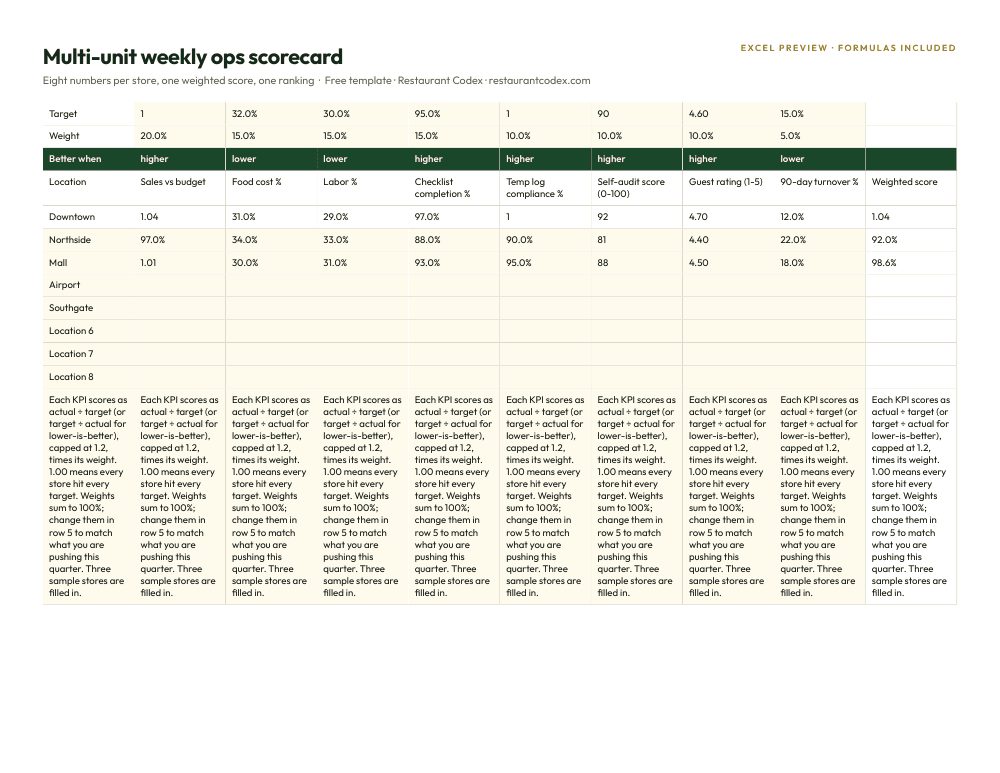
Each leaves a gap. With 7shifts, the standards live outside it, so the view of labor is sharp and the view of whether stores follow the recipe is not. With Restaurant Codex, the labor numbers live in whatever you schedule with. Codex Copilot can reach scheduling tools through MCP, which is worth asking about on the call. See multi-location restaurant software.
How to decide
Start with the hours. If your managers lose the most time building the schedule, chasing swaps and fixing payroll, buy 7shifts first and judge Restaurant Codex later. If they lose the most time answering "how do we make this" and "did that get done," start with Restaurant Codex and keep your current scheduler.
Then check the overlap. If you plan to buy 7shifts Premium anyway, ask a Codex rep whether your lists and training are better there, and price the Premium plan without the pieces you would stop using. If you would be on Essentials or Pro, the Task Management add-on costs $12.99 per location, and the real comparison is that against Restaurant Codex's alerts, knowledge base and inventory.
Last, ask each vendor for the same demo. For 7shifts, ask to see a task with a photo proof go overdue and who gets told. For Restaurant Codex, ask to see a recipe change reach a line cook's phone. Neither slide deck will tell you what the software does at 4 p.m. on a Friday. The guide to restaurant software layers and the shift management guide cover where each fits.
Restaurant Codex keeps checklists with photo proof, SOPs and recipes, training, inventory and food cost in one place, with one live view across every location. It does not schedule, run a time clock or pay anyone.
Restaurant Codex
The same checklist, on every phone, with photo proof
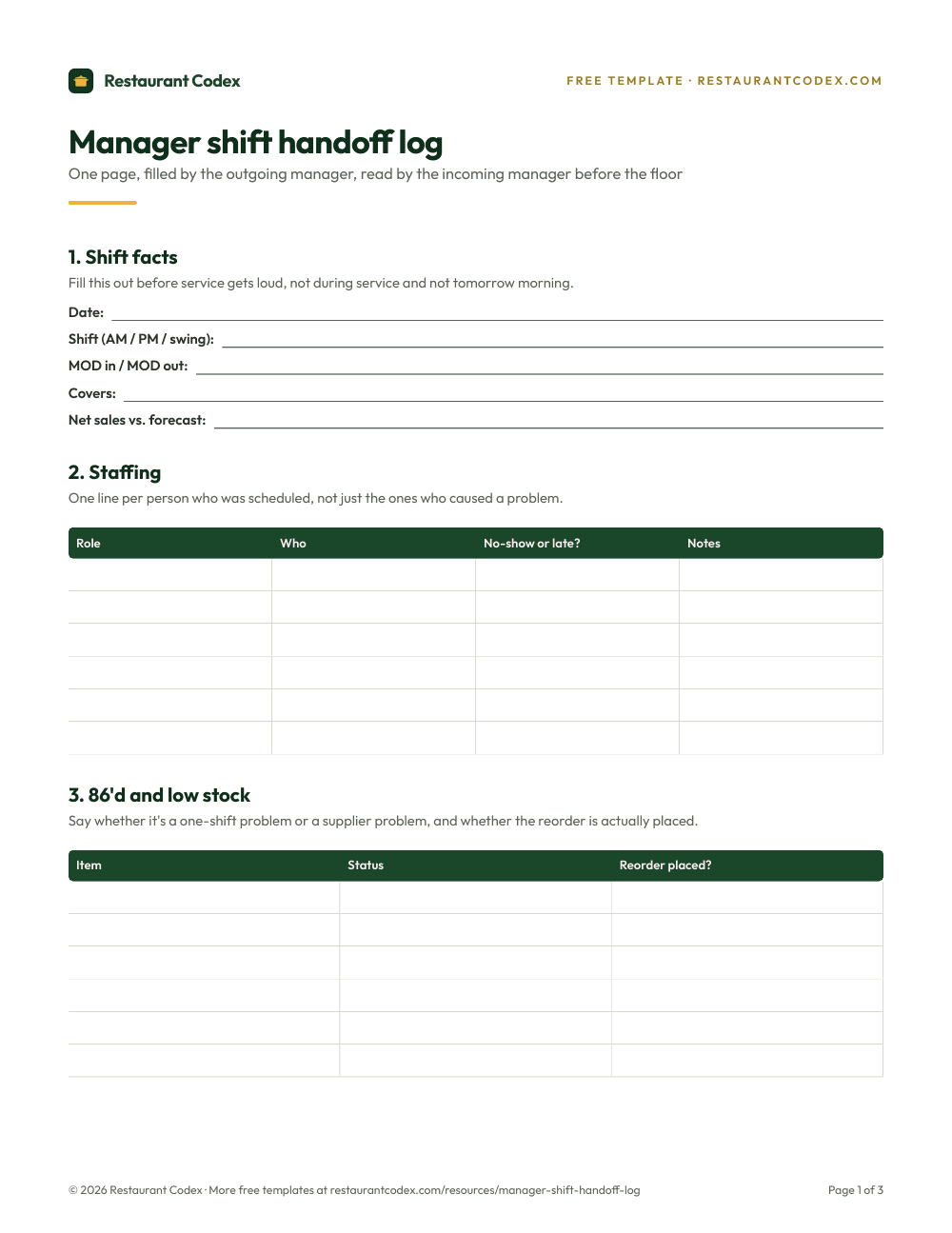
Restaurant Codex runs this template as a live task with timestamps, photos and one view across every location. Bring it to a 30-minute working session and we'll show you how it would run across your locations.
By the Restaurant Codex team
Written with operators who run multi-location restaurant groups. Reviewed against the FDA Food Code and the sources listed below.